CATEGORY

PWA

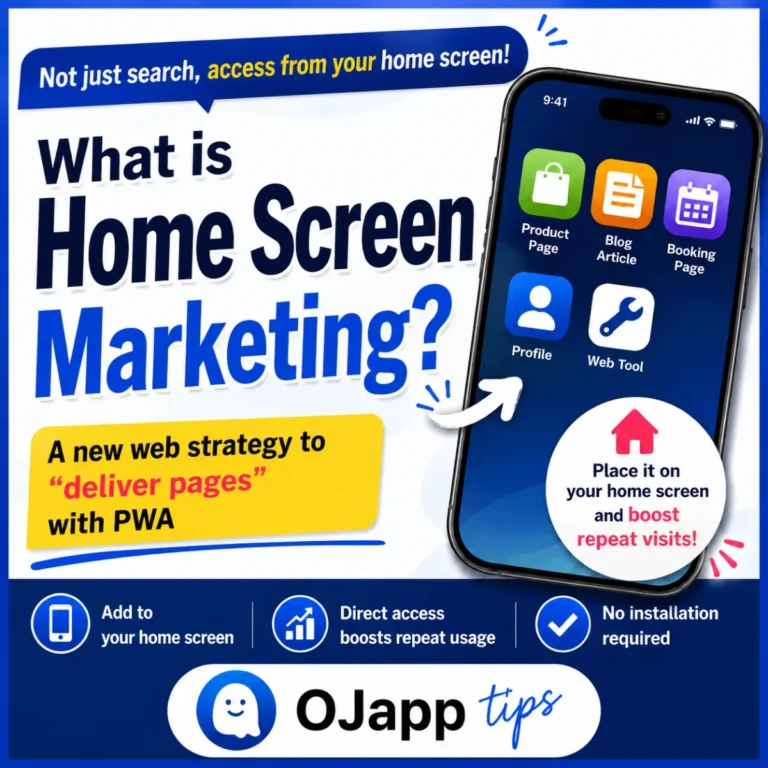
    What Is Home Screen Marketing? A New Web Strategy for “Delivering Pages” with PWA

    SEO, social media, advertising, email. Traditional web marketing has primarily focused on bringing users to a website. Of course, that is still important. But once a visitor closes the browser, their connection with the website is temporarily lost. To return, they need to take another action, such as: Search for the site again Find a bookmark Open a social media platform Remember the URL I believe there is another option. I call it Home Screen Marketing. The Home Screen Is One of the Most Visible Places What screen do people see most often on their smartphones? Social media? The browser? No. It is the home screen. It appears every time you open an app and may be seen dozens of times every day. And yet, most websites make almost no use of this space. Deliver the “Page,” Not the Website Traditional PWAs generally add an entire website to the home screen as a single app. For example, an e-commerce site might create one icon: Shop But the page a user repeatedly visits may not actually be the shop’s homepage. It […]
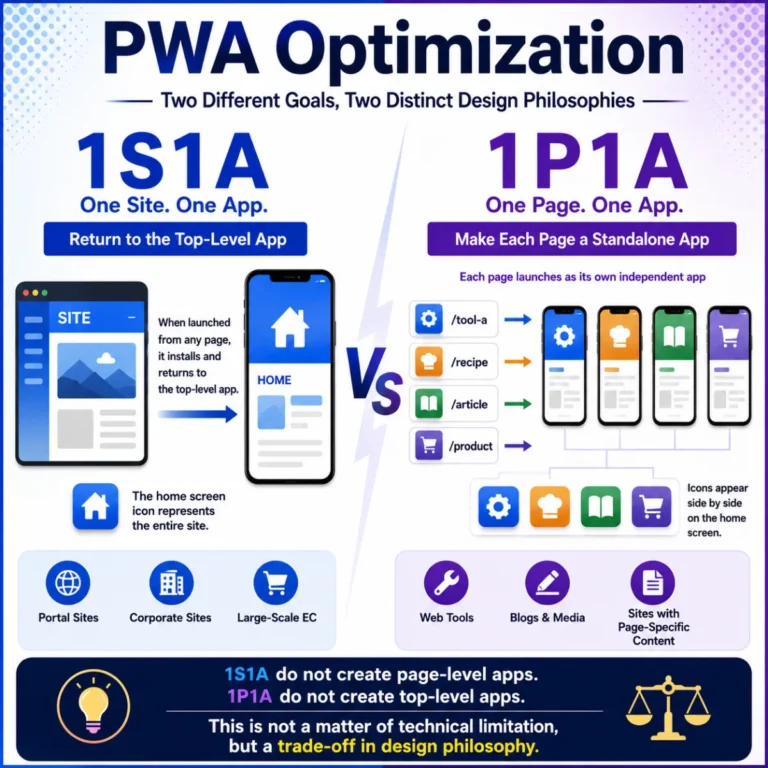
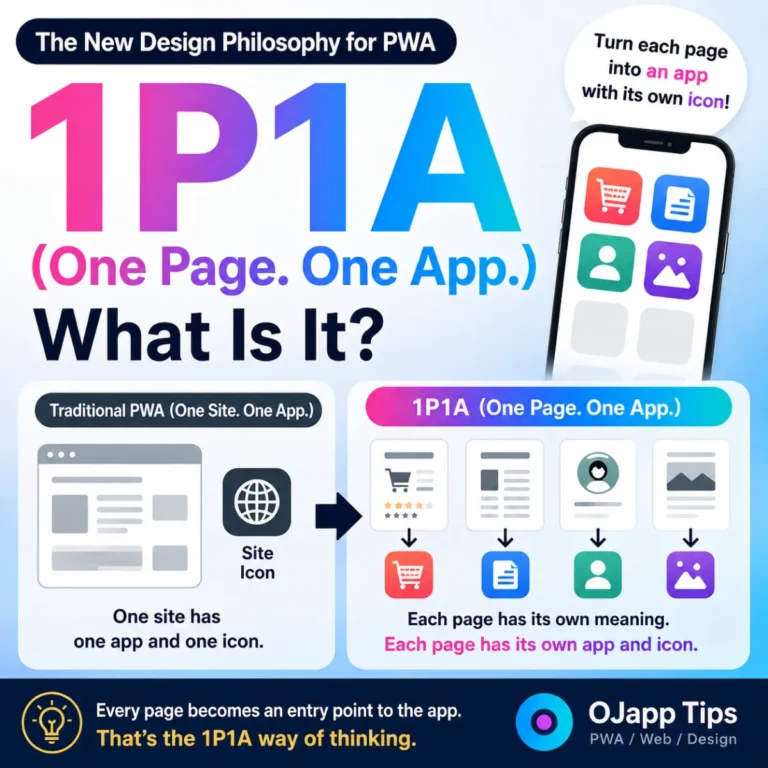
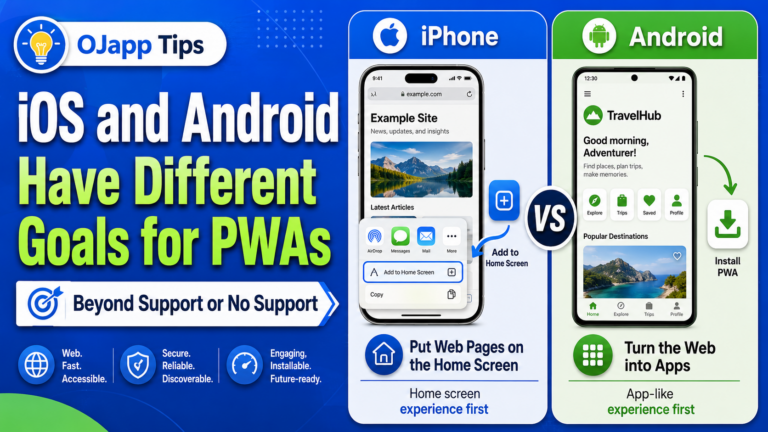
      The Two Directions of PWA Design: “1S1A” That Returns to the Top and “1P1A” That Turns Every Page into an App

      PWAs (Progressive Web Apps) are generally described as: “A technology that turns websites into apps.” However, as I continued designing and testing PWAs, I realized that PWA architecture can be divided into two major design philosophies. I call them: 1S1A (One Site. One App.) 1P1A (One Page. One App.) This is not a difference in features. It is a difference in how you choose to design a PWA. 1S1A (One Site. One App.) Most traditional PWAs follow this design philosophy. The goal is simple: Treat the entire website as a single app. For example: / ├ article1 ├ article2 ├ contact └ products No matter which page the user adds to the home screen, launching the app takes them back to: / In other words: The top page becomes the entry point to the app. This approach works very well for: Portal sites Corporate websites E-commerce sites SaaS products In other words, services that want users to start from one central entry point. Why Does It Return to the Top Page? The reason is simple. A typical PWA might use: […]

        The PWA Design Philosophy of 1P1A (One Page. One App.)

        PWAs generally treat one website as one app. When a user adds the site to their home screen, an icon representing the entire website is created. Tapping that icon launches the website. I think of this as a: 1 Site. 1 App. design model. Of course, this is currently the most common approach to PWA design. What Is 1P1A? 1P1A (One Page. One App.) is the idea of designing: one page as one app. What gets added to the home screen is not the website itself. It is the page itself. For example: Product pages Blog posts Profile pages Digital business cards Landing pages Each of these can be added to the home screen as an independent app. Each Page Has Its Own Icon With a traditional PWA, the structure looks something like this: Website └── Site icon With 1P1A, it looks more like this: Product page └── Product image Article └── Featured image Profile └── Profile image In other words, each page uses an icon that represents the meaning of that specific page. Just by looking at the home […]

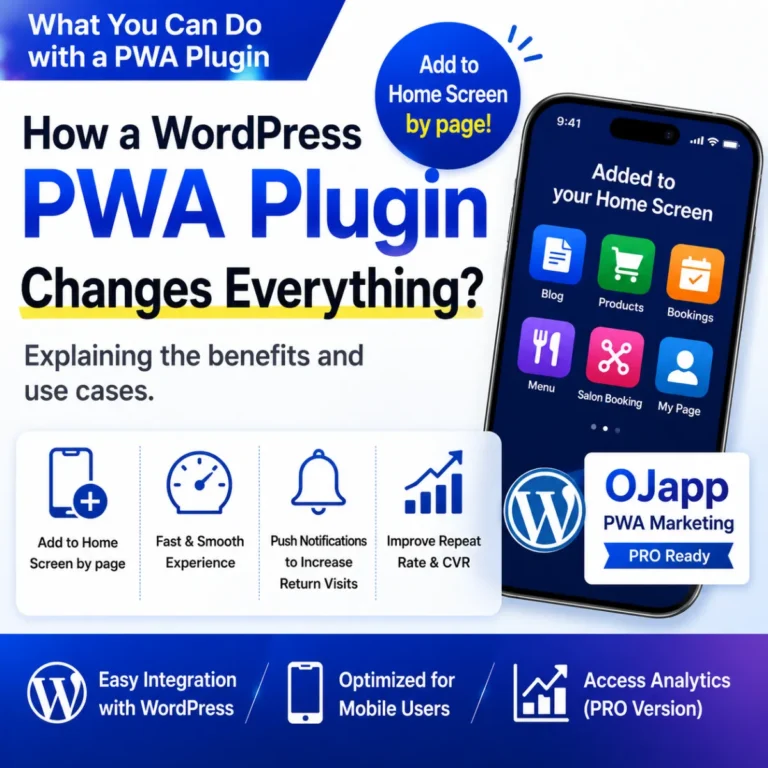
          What Can a PWA Plugin Change for WordPress? Benefits and Use Cases Explained | OJapp PWA Marketing

          You may have heard the term PWA (Progressive Web Apps), but have you ever wondered: “What can a PWA actually do for a WordPress site?” PWA plugins for WordPress have become increasingly common in recent years. However, there still aren’t many articles that clearly explain the real benefits of using one, or what types of websites can benefit from PWA functionality. In this article, I’ll explain what PWA plugins can do, how they can be used in real-world WordPress sites, and why I developed OJapp PWA Marketing. What Is a PWA Plugin? A PWA plugin is a plugin that adds Progressive Web App features to a WordPress site. Once installed, it can make it easier to add features such as: Add to Home Screen App-like display Home screen icons Automatic manifest.json generation Traditionally, many of these settings had to be configured manually. With a PWA plugin, much of that setup can be handled automatically. Traditional WordPress PWA Plugins vs. OJapp PWA Marketing Traditional PWAs are generally based on one idea: Turn the entire website into a single app. For example, […]

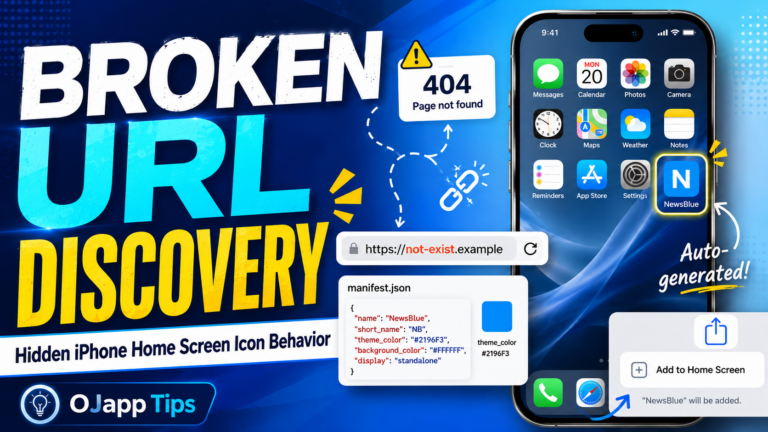
            What I Learned by Using a Nonexistent URL: iPhone’s Hidden Home Screen Icon Behavior

            Hi, I’m Ojach. I built a feature in my test lab, “PWA LAB,” that allows me to freely change the installation URL. The goal was simple: I wanted a place to try out, in real-time, how a PWA actually looks when added to the home screen. Validating PWAs often comes down to these small, gritty experiments. Especially with maskable icons, where the differences in how Android and iOS handle cropping can change everything. Reading the spec sheet 100 times can’t compare to the moment you break your own code on a real device and finally “get it.” Every developer has been there. That’s exactly what happened this time. To be honest, it was just a simple URL typo. But that “oops” moment led me to discover some fascinating, undocumented behaviors regarding iPhone home screen icons. I just had to share this. Validating the “Broken State” The setup was incredibly simple. I used my PWA LAB to intentionally set an “invalid, non-existent URL” as the installation target. Then, I hit “Add to Home Screen” on both Android (Chrome) and iPhone (Safari) […]

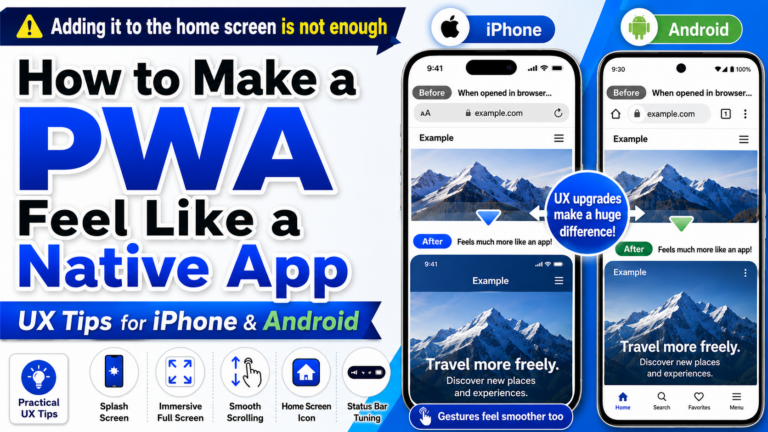
              How to Make a PWA Feel Like a Native App: UX Tips for iPhone and Android

              A PWA is a way to add a website to a smartphone home screen and use it more like an app. But once you actually build one, you quickly notice something important. Being addable to the home screen does not automatically make it feel like a real app. A white flash appears right after tapping the icon. The top bar still feels browser-like. The scroll behavior feels like a web page. The back behavior suddenly reminds the user of Safari or Chrome. When these small awkward moments pile up, users unconsciously feel, “This is not really an app. It is a website.” While building PWA LAB, OJapp, and Petal, I tested Add to Home Screen behavior many times on both iPhone and Android. What I learned is this: to make a PWA feel closer to a native app, flashy features matter less than small details like launch behavior, spacing, colors, scrolling, and back navigation. In this article, I will organize practical UX improvements for making a PWA feel more app-like based on real device behavior. First: PWAs look different on […]

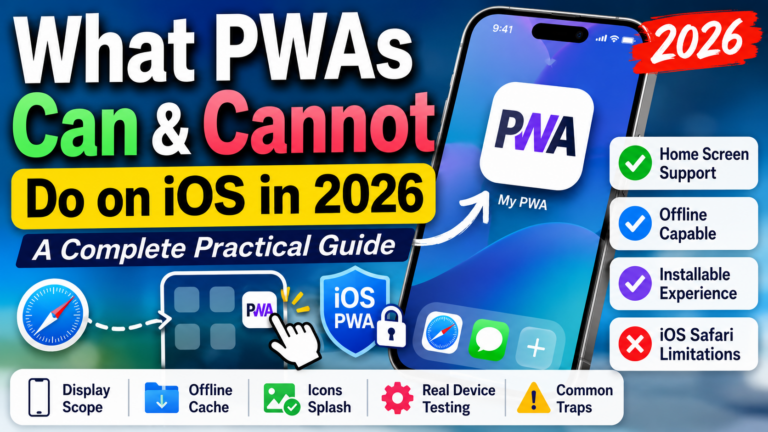
                What PWAs Can and Cannot Do on iOS in 2026: A Complete Practical Guide

                How much can a PWA actually do on an iPhone in 2026? PWAs on iOS have changed significantly over the last few years. Some features that once felt unreliable now work well, while other behaviors still differ from Android. After repeatedly testing PWAs on real iPhones, my conclusion is simple: PWAs work well on iOS in 2026, but you should design them as iOS web apps rather than expecting Android Chrome behavior. Home Screen installation, standalone display, start_url, scope, custom icons, Service Workers, Web Push, and modern Web APIs are all usable on iPhone. But install UX, display modes, icon handling, storage behavior, and some manifest features still behave differently from Android. This guide explains what PWAs can and cannot realistically do on iOS in 2026, based on real-device testing. Quick answer: What can PWAs do on iOS in 2026? Feature iOS support Practical note Add to Home Screen Yes Available through Safari’s Share menu Standalone app-like display Yes Works well for Home Screen web apps Web App Manifest Yes Supported, but some behavior differs from Android start_url Yes Controls […]

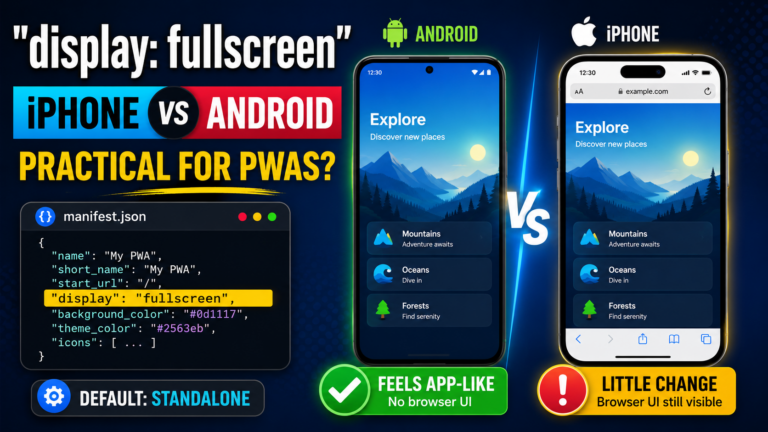
                  Is display: fullscreen Practical for PWAs? Comparing iPhone and Android Behavior

                  Is display: fullscreen Practical for PWAs? Comparing iPhone and Android Behavior In a PWA manifest, there is a setting called display. This setting controls how the PWA appears when it is opened from the home screen. The most common value is usually standalone, but there is also a value called fullscreen. Just from the name, it sounds powerful. If the browser UI disappears and the page looks completely like an app, it sounds perfect for a PWA. But after testing it in PWA LAB, I found a pretty realistic difference between platforms. In short: on Android, it can feel very app-like. On iPhone, you should not expect much from it. What is display? display is the display mode setting inside manifest.json. For example, you can write it like this: { "name": "OJapp PWA LAB", "start_url": ".", "display": "fullscreen", "background_color": "#f5f7fb", "theme_color": "#2dd7ff" } Changing this display value changes how the PWA looks when opened. The main values are: standalone: the standard app-like PWA display fullscreen: displays the app as full-screen as possible minimal-ui: keeps a minimal browser UI browser: opens […]

                  OJapp Tips  -  PWA・ホーム画面追加の実機検証ブログ

                  OJapp Tips - Practical PWA & Home Screen UX Lab

                  OJapp Tips is a technical blog documenting real-world PWA behavior, iPhone Safari quirks, home screen installation, manifest.json, Service Worker, Web App Manifest, WebClip, icon cache issues, and practical web development tips based on actual testing with iPhone, Android, and PC.

                  The articles are based on hands-on experiments from PWA LAB and real development experience with OJapp, Petal, and OJ-Pass. Instead of only repeating official documentation, OJapp Tips focuses on the details developers actually get stuck on.