
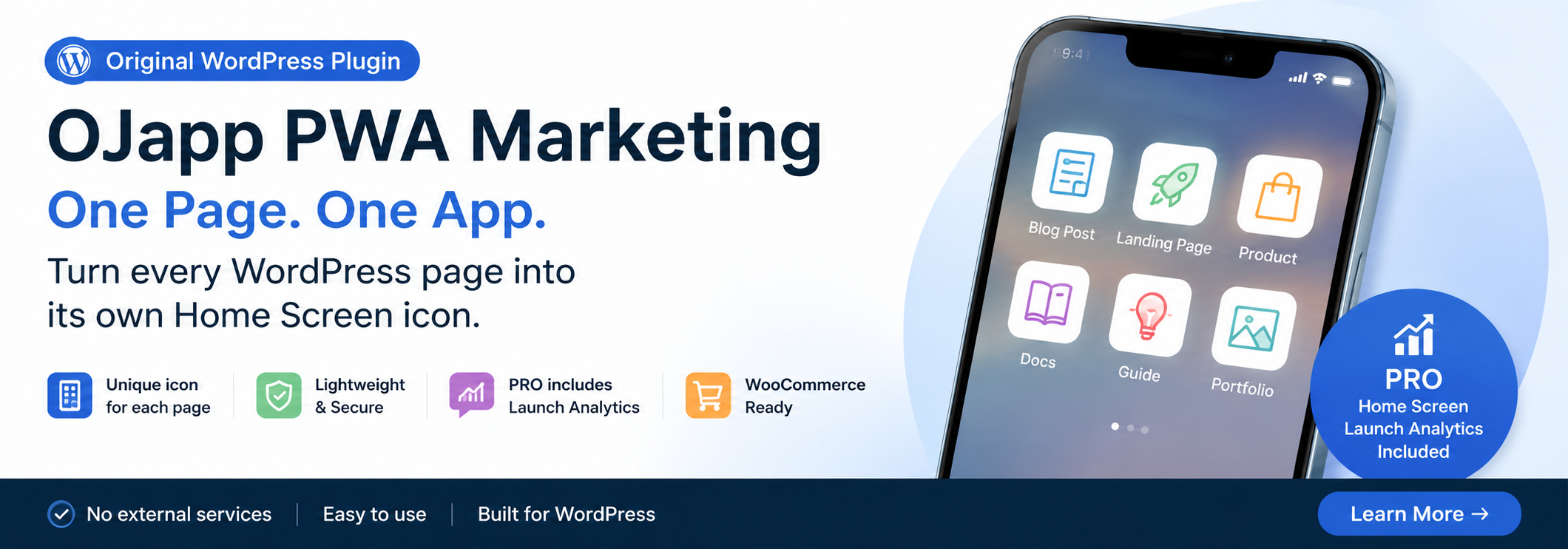
This site uses the original WordPress plugin OJapp PWA Marketing.
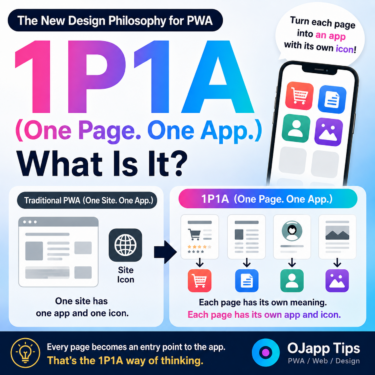
Each article can be added to your Home Screen with its own dedicated icon.
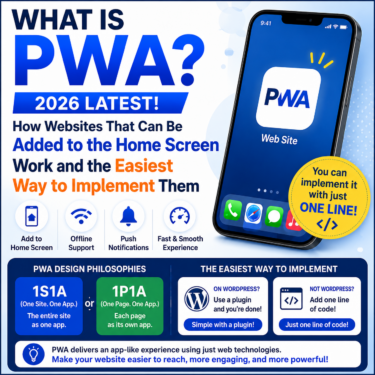
PWAs (Progressive Web Apps) are generally described as:
“A technology that turns websites into apps.”
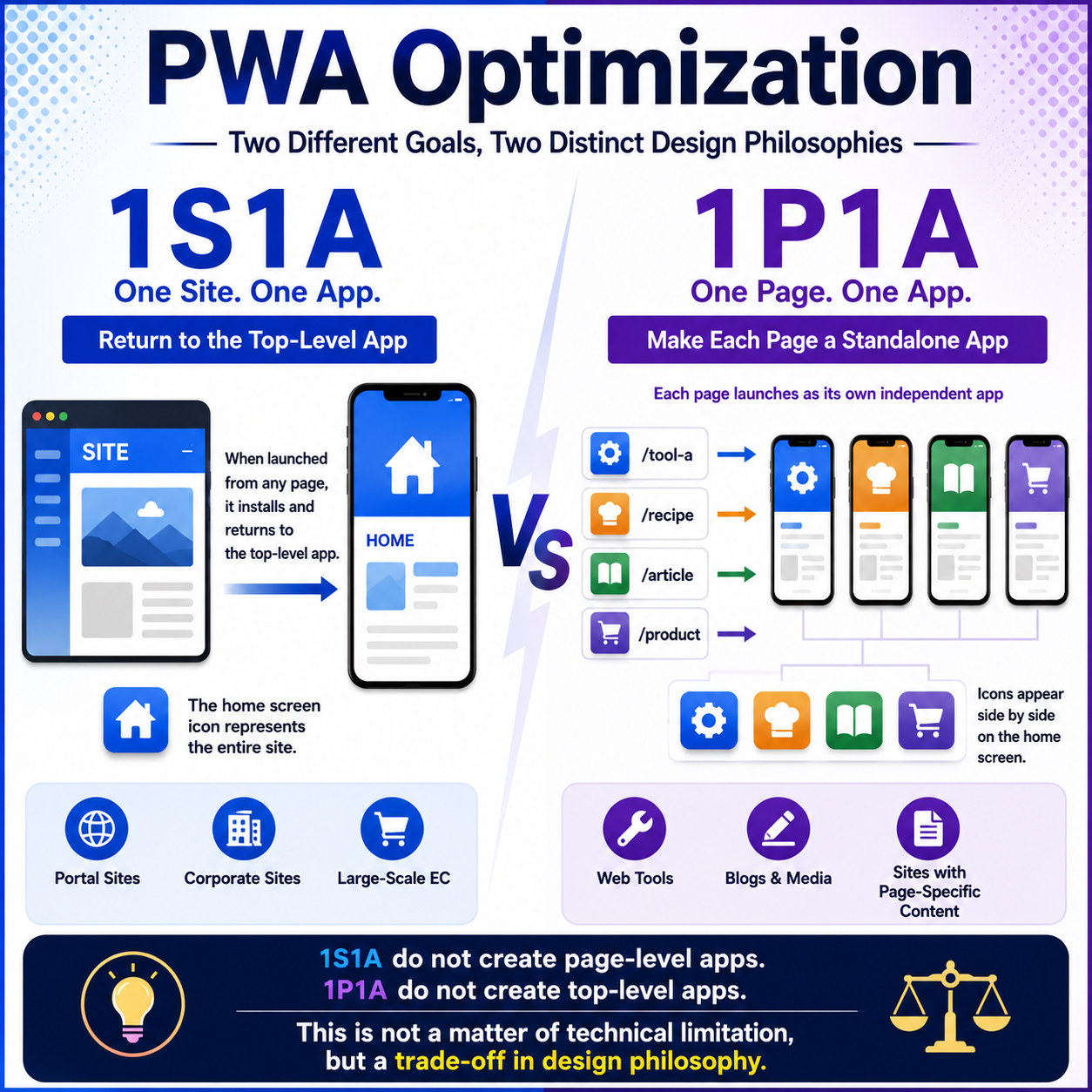
However, as I continued designing and testing PWAs, I realized that PWA architecture can be divided into two major design philosophies.
I call them:
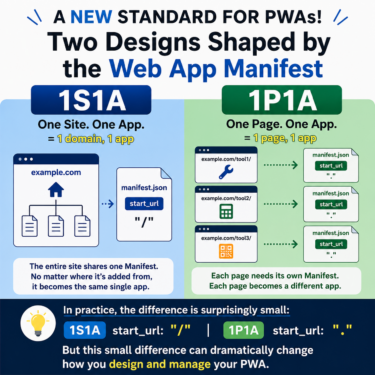
- 1S1A (One Site. One App.)
- 1P1A (One Page. One App.)
This is not a difference in features. It is a difference in how you choose to design a PWA.
- 1 1S1A (One Site. One App.)
- 2 Why Does It Return to the Top Page?
- 3 But There Is a Problem
- 4 That Led to 1P1A
- 5 Closer to the Original Nature of the Web
- 6 Why Can’t Both Models Fully Coexist?
- 7 That’s Why 1P1A Gives Up the Top-Level App
- 8 This Is Not a Technical Shortcoming
- 9 Which One Should You Choose?
- 10 PWA Design May Split Into Two Directions
1S1A (One Site. One App.)
Most traditional PWAs follow this design philosophy.
The goal is simple:
Treat the entire website as a single app.
For example:
/
├ article1
├ article2
├ contact
└ products
No matter which page the user adds to the home screen, launching the app takes them back to:
/
In other words:
The top page becomes the entry point to the app.
This approach works very well for:
- Portal sites
- Corporate websites
- E-commerce sites
- SaaS products
In other words, services that want users to start from one central entry point.
Why Does It Return to the Top Page?
The reason is simple.
A typical PWA might use:
{
  "start_url": "/"
}
This means the home screen icon represents:
the entire website.
So even if a user adds the PWA while viewing an individual article, launching it from the home screen takes them back to the top page.
This is the idea behind:
One Site. One App.
 How to Make a PWA Feel Like a Native App: UX Tips for iPhone and Android
But There Is a Problem
Sometimes users do not want the entire website on their home screen.
They may want to save only a specific page, such as:
- A calculator
- A recipe
- A product page
- A profile
- A blog post
In other words:
“I want this specific page on my home screen.”
With the 1S1A model, however, launching the app ultimately takes the user back to the main entry point.
That means:
An individual page cannot easily behave as its own independent app.
That Led to 1P1A
Now, reverse the idea.
Instead of turning the website into an app:
Turn the page into an app.
For example:
/
├ tool-a
├ tool-b
├ recipe
└ article
Each of these pages becomes its own independent app.
The home screen could contain separate icons for:
- Tool A
- Recipe
- Article
Tapping each icon opens that specific page directly.
This is the idea behind:
One Page. One App.
Closer to the Original Nature of the Web
The Web has always been built around the idea that:
1 URL = 1 piece of content
Search engines work at the page level.
Social media links work at the page level.
Bookmarks work at the page level.
1P1A can be seen as a design philosophy that brings this page-based nature of the Web directly to the home screen.
Why Can’t Both Models Fully Coexist?
This is the most important part.
You might think:
“Why not make the top page an app and make every individual page an app too?”
It sounds reasonable.
However, with today’s PWA architecture, these two models generally cannot be fully combined.
The reason lies in how scope and start_url are managed within the same origin.
For example, suppose you place:
/manifest.json
on the top page and define:
{
  "scope": "/"
}
The pages below it now fall within:
the top-level app’s scope.
As a result, individual pages lose their independence as separate app experiences.
I call this state:
“Scope Domination.”
The top-level PWA effectively absorbs everything beneath it.
That’s Why 1P1A Gives Up the Top-Level App
1P1A takes the opposite approach.
It does not place a manifest on the top page.
It does not place one on parent or hub pages either.
Instead, only the leaf pages become apps.
As a result, each page can exist as an independent app experience.
In other words:
Instead of turning the top page or hub page into an app, 1P1A allows individual pages to exist as independent apps.
That is the core design philosophy behind 1P1A.
This Is Not a Technical Shortcoming
This point is easy to misunderstand.
With 1S1A, individual pages cannot function as fully independent apps.
With 1P1A, the top-level site cannot function as the single overarching app.
This does not mean that either implementation is incomplete.
It is a design trade-off inherent in the way PWA architecture works.
Do you treat the entire website as one app?
Or do you treat individual pages as independent apps?
You cannot fully achieve both models at the same time.
That is why the design philosophy needs to be decided first.
Which One Should You Choose?
Neither approach is inherently better.
They serve different purposes.
1S1A (One Site. One App.)
- Portal sites
- Corporate websites
- Large e-commerce sites
- Services that want the entire site to act as a single entry point
1P1A (One Page. One App.)
- Web tools
- Blogs
- Web magazines
- Product pages
- Profile pages
- Websites where individual pieces of content are the main focus
The right design philosophy depends on the website.
PWA Design May Split Into Two Directions
Until now, PWAs have generally been described as:
“A technology for turning websites into apps.”
But I believe PWA design may increasingly split into two distinct philosophies:
1S1A, where everything returns to the top-level app
and
1P1A, where individual pages become independent apps.
The question is not which one is correct.
The important question is:
Which philosophy should your website be designed around?
I believe the fact that we now have this choice could represent the next evolution in how we think about PWAs.