This site uses the original WordPress plugin OJapp PWA Marketing.
Each article can be added to your Home Screen with its own dedicated icon.
When building PWAs, an interesting question eventually comes up.
Can the same domain provide two, three, or even more separate PWAs?
You might want one app for the entire website, another home screen entrance for a collection of tools, and separate icons for individual products or pages.
The Web already contains many independent URLs under a single domain. Treating every domain as exactly one application can therefore become restrictive.
In practice, the PWA unit is not determined by the domain alone. Web App Manifest properties such as id, start_url, and scope matter, and browser and operating system implementations also affect the final installation behavior.
With another layer of design, the user can even choose a URL state and turn that state into a personal home screen entrance.
- 1 id, start_url, and scope have different jobs
- 2 A conventional site-wide PWA is 1S1A
- 3 But one domain can contain several independent functions
- 4 A directory can become a group-level app
- 5 1G1A can reuse the site-level mechanism
- 6 You can combine this with page-level PWAs
- 7 UDA lets the user choose the final state
- 8 UDA is not simply the next level below 1P1A
- 9 One page can produce multiple home screen entrances
- 10 id is not the launch URL
- 11 scope is not the application ID either
- 12 Real-device testing exposed problems with overly broad scope configurations
- 13 Does that mean one domain can install unlimited PWAs?
- 14 Start with the question: what is one app?
- 15 One domain can contain many different app entrances
id, start_url, and scope have different jobs
These three Manifest properties often appear together, which makes them easy to mix up.
id: identifies the PWAstart_url: defines the URL opened when the PWA launchesscope: defines the navigation scope associated with the PWA
A simple way to think about them is: Who is this app? Where does it start? What navigation area belongs to it?
They are related, but they are not interchangeable settings.
A conventional site-wide PWA is 1S1A
Many PWAs are designed around the entire website as one application.
{
  "id": "/",
  "start_url": "/",
  "scope": "/",
  "display": "standalone"
}
If the website is one unified service, this can be a very natural architecture.
example.com
├─ /
├─ /news/
├─ /products/
├─ /account/
└─ /tools/

        ↓

     One PWA
I call this approach 1S1A: One Site. One App.
As explained in 1S1A vs 1P1A, neither architecture is inherently better. They simply choose a different unit to call an app.
 PWAs Can Do This: How to Add User-Specific Pages to the Home Screen
But one domain can contain several independent functions
Now imagine a site with this structure:
example.com/
example.com/shop/
example.com/tools/
example.com/docs/
You may still want a site-wide app.
But perhaps /tools/ is something users open frequently, so it also makes sense as its own home screen application.
The documentation under /docs/ could also work better as a separate entrance.
At that point, treating the entire origin as one indivisible application is no longer the only useful model.
A directory can become a group-level app
This leads to an architecture I call 1G1A: One Group. One App.
A tool directory could use:
{
  "id": "/tools/",
  "start_url": "/tools/",
  "scope": "/tools/",
  "display": "standalone"
}
Documentation could use:
{
  "id": "/docs/",
  "start_url": "/docs/",
  "scope": "/docs/",
  "display": "standalone"
}
Conceptually, that gives us:
example.com/
   └─ Site App

example.com/tools/
   └─ Tools App

example.com/docs/
   └─ Docs App
The same origin can therefore be designed around different logical application groups.
1G1A can reuse the site-level mechanism
1G1A does not require a completely different PWA technology.
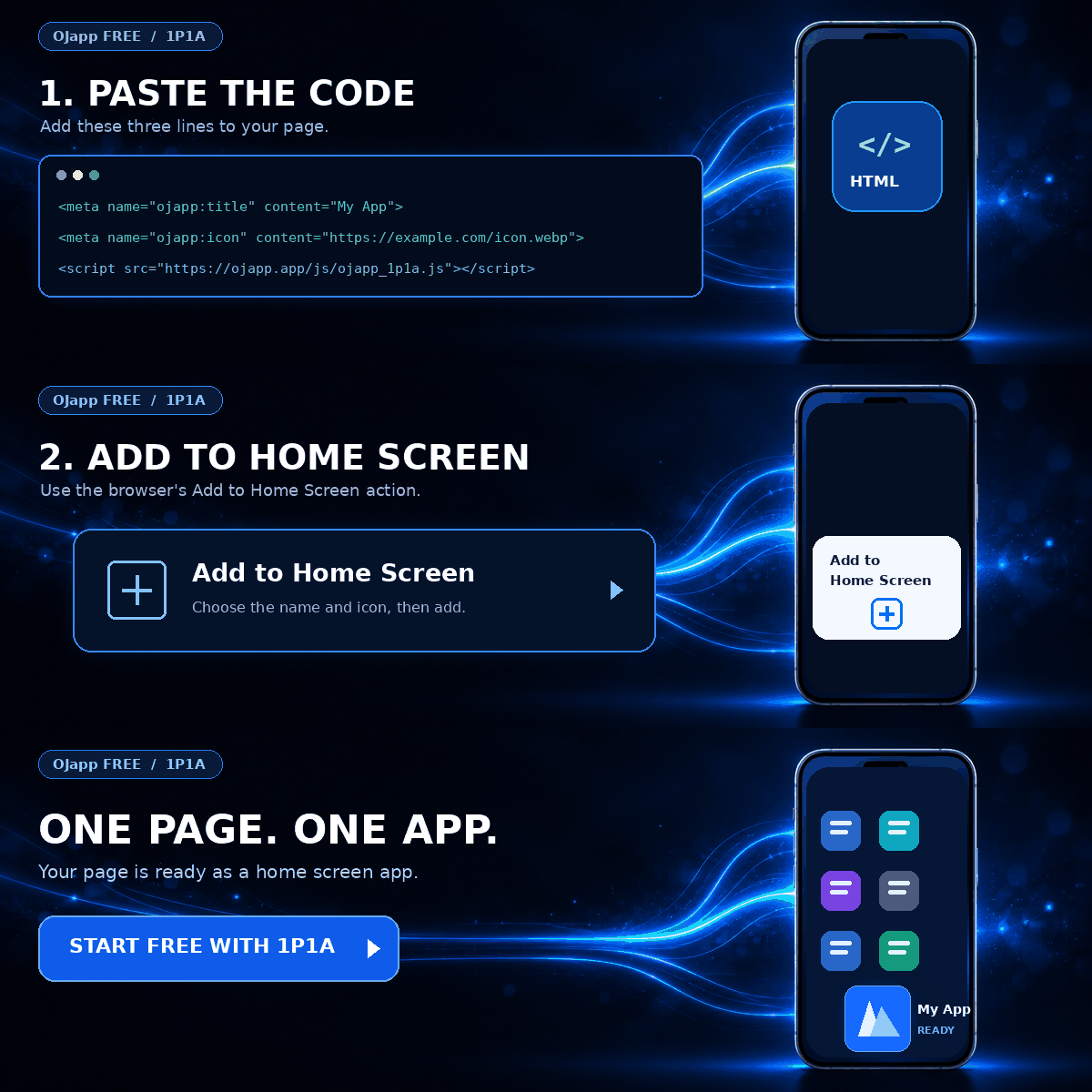
In OJapp, a group app can use the same 1S1A script while explicitly setting id, start_url, and scope to a directory.
<meta name='ojapp:id' content='/tools/'>
<meta name='ojapp:start-url' content='/tools/'>
<meta name='ojapp:scope' content='/tools/'>

<script src='https://ojapp.app/js/ojapp_1s1a.js'></script>
Using a site-oriented implementation does not necessarily mean that the application must always begin at the origin root.
The Manifest values can define a smaller logical group.
You can combine this with page-level PWAs
The structure can become even more granular.
Suppose that, in addition to the site and tool group, you want individual pages to become their own home screen entrances.
example.com/
   └─ Site App (1S1A)

example.com/tools/
   └─ Tools App (1G1A)

example.com/tools/timer/
   └─ Timer (1P1A)

example.com/products/coffee/
   └─ Coffee (1P1A)
1P1A, or One Page. One App., treats an individual page as the useful application unit rather than the whole website.
A timer can have a timer icon and name. A product can use its own image and product name. Each page can become a meaningful home screen entrance.
The broader idea is explained in 1P1A: One Page. One App..
This also means 1S1A, 1G1A, and 1P1A do not always have to be mutually exclusive choices.
They can be combined within the same website when the use case calls for it.
UDA lets the user choose the final state
There is another interesting step beyond choosing the site, group, or page.
Imagine a timer available at:
https://example.com/timer/If that page becomes a home screen app, we have a page-level 1P1A design.
But the Web can also represent the current configuration of that timer in the URL query.
/timer/?time=3&mode=down
/timer/?time=5&mode=down
/timer/?time=20&mode=up
These URLs all use the same page, but they represent different useful states.
One is a three-minute countdown. Another is a five-minute countdown. The third is a twenty-minute count-up timer.
If those configured URLs can become home screen launch states, one page can produce several useful entrances.
Timer Page
├─ 3m ↓
├─ 5m ↓
└─ 20m ↑
I call this idea UDA: User Defined App.
UDA is not simply the next level below 1P1A
Looking only at URL granularity, it is tempting to draw this hierarchy:
Site
↓
Group
↓
Page
↓
State
That is useful for understanding how specific a URL can become, but it does not fully describe UDA.
The more important distinction is who defines the final application state.
The developer provides a timer as a Web function.
The user chooses the configuration they actually want, such as a five-minute countdown.
That choice produces a URL representing the state, and the resulting URL can become the user’s own home screen entrance.
Developer
↓
Provides timer function
↓
User
↓
Chooses 5-minute countdown
↓
/timer/?time=5&mode=down
↓
Adds it to the home screen
So UDA is not simply a layer that comes after 1P1A.
It is the idea that the user can define their own app entrance by choosing the state represented by the URL.
It can work together with a page-level design such as 1P1A, while leaving the final configuration to the user before the result is added to the home screen.
I explore this concept further in PWA UDA: User Defined App.
One page can produce multiple home screen entrances
Once UDA enters the picture, the original question about multiple PWAs under one domain becomes much broader.
example.com/
   └─ Site App

example.com/tools/
   └─ Tools App

example.com/tools/timer/
   └─ Timer App

example.com/tools/timer/?time=3&mode=down
   └─ 3m ↓ Timer

example.com/tools/timer/?time=20&mode=up
   └─ 20m ↑ Timer
We started with “Can one domain provide multiple PWAs?” and ended up with the possibility of multiple user-selected home screen entrances from the same function on the same page.
Query-based PWA identity and multiple-install behavior can vary by browser and platform, however.
OJapp supports query-configured app states, but if multiple simultaneous entries are important to the product, the intended behavior should be tested on the target devices.
id is not the launch URL
One of the easiest properties to misunderstand when discussing multiple PWAs is id.
id does not tell the browser which page to open when the application launches.
That is the job of start_url.
id provides application identity.
{
  "id": "/tools/",
  "start_url": "/tools/dashboard/"
}
The application’s identity and launch destination can therefore be designed separately.
An explicit stable id can allow start_url to change while retaining the intended application identity.
If a valid id is omitted, the effective start_url is used as the fallback identity under the Web App Manifest model.
However, changing id alone should not be treated as a universal guarantee that every browser and operating system will allow another simultaneous installation.
The platform’s installation implementation still matters.
scope is not the application ID either
scope serves another purpose.
The Manifest scope describes the navigation scope associated with the installed web application.
{
  "start_url": "/tools/",
  "scope": "/tools/"
}
Here, URLs under /tools/ are inside the application’s navigation scope.
There is also an important naming trap: Web App Manifest scope and Service Worker scope are different mechanisms.
Manifest scope concerns the application’s navigation context. Service Worker scope determines which documents and requests a registered Service Worker can control.
They share the word “scope,” but they should not be treated as the same setting.
Real-device testing exposed problems with overly broad scope configurations
This distinction became particularly interesting during my PWA LAB experiments.
I was testing separate Web features under the same domain and wanted them to become separate home screen apps on Android.
In one configuration, both Manifests used the broad scope: "/". On the tested Android setup, the two entries were not treated as separate applications in the way I expected.
For page-level entrances, I therefore also test Android configurations that avoid forcing the same broad fixed Manifest scope across every page.
On iPhone, meanwhile, I have observed cases where explicitly controlling Manifest scope is useful for the presentation of a home screen Web app.
This led me to experiment with platform-specific Manifest configurations for some OJapp use cases.
This should not be read as a universal rule that Android PWAs should never define scope.
It is an implementation choice that came from PWA LAB testing of a specific goal: creating multiple independent home screen entrances under one domain.
Does that mean one domain can install unlimited PWAs?
Not necessarily.
It would be tempting to conclude that changing id, start_url, and scope automatically gives you unlimited independent installations from one domain.
PWA installation behavior is not determined by those Manifest fields alone.
The browser, operating system, Manifest URL, application identity, start URL, navigation scope, and platform-specific processing can all affect the final result.
iPhone’s Add to Home Screen behavior and Android Chrome’s PWA installation behavior also should not be assumed to be identical just because both produce a home screen icon.
If multiple installations are an important part of your product design, test the exact architecture on the target devices.
Start with the question: what is one app?
The most useful lesson here is not memorizing three Manifest properties.
First decide what should count as one application for the user.
Site
→ 1S1A

Group
→ 1G1A

Page
→ 1P1A
Then, if a Web function has a meaningful URL state, UDA introduces another question: can the user choose the final state themselves?
Site  → 1S1A
Group → 1G1A
Page  → 1P1A

User selects a State
       ↓
      UDA
UDA is deliberately shown differently because it is not simply another structural level.
The developer provides the Web capability. The user makes the final choice and defines their own useful URL state.
That URL can then become the user’s personal entrance on the home screen.
One domain can contain many different app entrances
A website can be one app.
A group of tools inside it can have another entrance.
An individual page can become its own entrance.
And for suitable Web functions, the final configuration can be left to the user, allowing that chosen state to become a personal home screen entry.
This is why I do not think PWA design has to stop at “turn the website into an app.”
Within the same domain, Site, Group, and Page can be different app units, while UDA can let the user define the final entrance through URL state.
The Web already has URLs capable of describing places and states.
Using those URLs directly as home screen entrances is one of the most interesting directions I see in PWA design.

Add OJapp Tips as a preferred source on Google
Make it easier to find OJapp Tips articles in Google Search.