
This site uses the original WordPress plugin OJapp PWA Marketing.
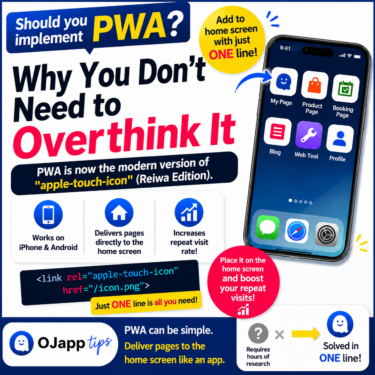
Each article can be added to your Home Screen with its own dedicated icon.
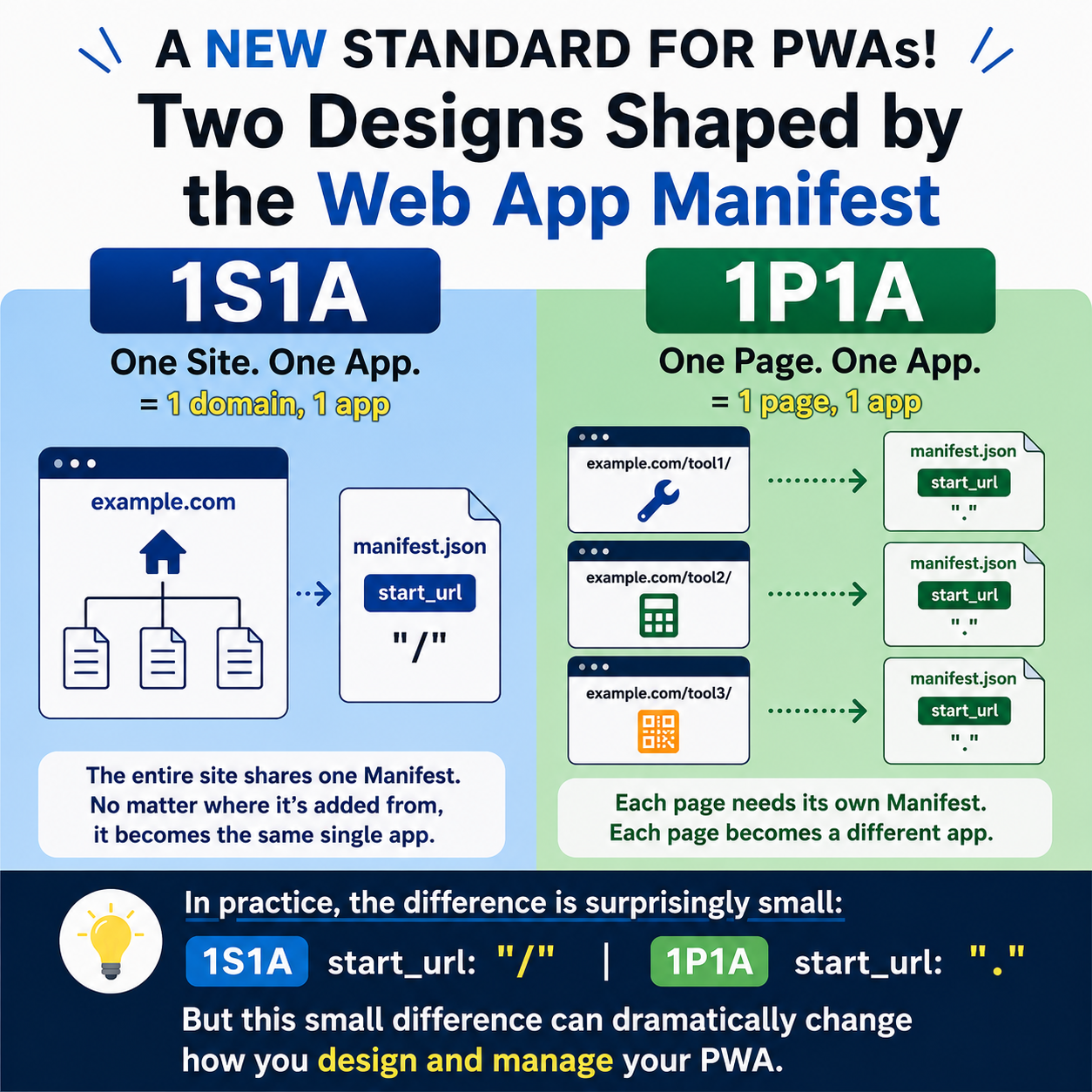
A difference as small as "/" and "." can change the entire architecture of a PWA.
When building a PWA (Progressive Web App), the Web App Manifest defines information such as name, start_url, scope, and icons that determines how the app behaves.
In a typical PWA, one Manifest is created for one website.
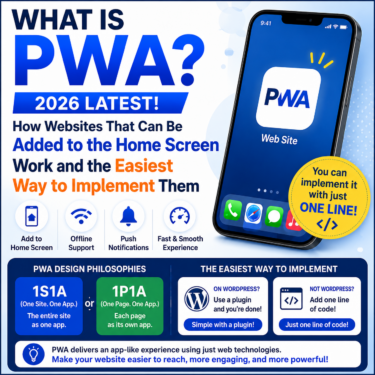
However, by changing how the Web App Manifest is designed, we can think about PWA architecture in two fundamentally different ways:
- 1S1A (One Site. One App.)
- 1P1A (One Page. One App.)
1S1A is an architecture where one website is treated as one app.
1P1A is an architecture where one page is treated as one app.
Neither approach is inherently more correct than the other.
The difference is simply what you choose to define as a single app.
And when you actually implement these two approaches with the Web App Manifest, the difference goes beyond changing values such as start_url or scope.
The way you manage the Manifest itself also changes.
- 1 Traditional PWAs Follow the 1S1A Model
- 2 In 1P1A, the Page Becomes the App
- 3 1P1A Cannot Share a Single Manifest
- 4 1S1A and 1P1A Require Different Manifest Management
- 5 With 1P1A, You Don’t Have to Create a Manifest for Every Page
- 6 100 Pages, Zero Static Manifest Files
- 7 A PWA Doesn’t Have to Be Designed at the Site Level
Traditional PWAs Follow the 1S1A Model
First, let’s look at a typical PWA structure.
Suppose you have a website like this:
/
├─ index.html
├─ manifest.json
└─ tools/
   ├─ index.html
   ├─ tool1/
   ├─ tool2/
   └─ tool3/
The entire website uses a single manifest.json.
Every page loads the same Manifest from its <head>:
<link rel="manifest" href="/manifest.json">
For example, the Manifest might look like this:
{
  "name": "My Tools",
  "short_name": "My Tools",
  "start_url": "/",
  "scope": "/",
  "display": "standalone",
  "icons": [
    {
      "src": "/icon-512.png",
      "sizes": "512x512",
      "type": "image/png"
    }
  ]
}
With this architecture:
/
├─ index.html       → /manifest.json
├─ tools/           → /manifest.json
│  ├─ tool1/        → /manifest.json
│  ├─ tool2/        → /manifest.json
│  └─ tool3/        → /manifest.json
every page can reference the same Manifest.
No matter which page you use to add the PWA to the home screen, the Manifest defines the same app.
This is the idea behind:
One Site. One App. (1S1A)
Because the entire website is designed as a single app, you generally only need one Manifest.

In 1P1A, the Page Becomes the App
Now let’s change the way we think about the site.
Instead of treating the entire website as one app, suppose you want:
/tool1/
/tool2/
/tool3/
to be independently installable on the home screen.
For example:
tool1 is an image compression tool.
tool2 is a character counter.
tool3 is a QR code generator.
Each one should appear on the home screen as its own app, with its own name and icon.
This is:
One Page. One App. (1P1A)
And this is where the Web App Manifest becomes important.
 iOS and Android Have Different Goals for PWAs: The Real Difference Beyond Support or No Support
1P1A Cannot Share a Single Manifest
With 1S1A, the entire website can use the same Manifest.
With 1P1A, things are different.
For example, the Manifest for tool1 might look like this:
{
  "name": "Image Compression Tool",
  "start_url": ".",
  "scope": ".",
  "display": "standalone",
  "icons": [
    {
      "src": "/images/tool1.png",
      "sizes": "512x512",
      "type": "image/png"
    }
  ]
}
For tool2:
{
  "name": "Character Counter",
  "start_url": ".",
  "scope": ".",
  "display": "standalone",
  "icons": [
    {
      "src": "/images/tool2.png",
      "sizes": "512x512",
      "type": "image/png"
    }
  ]
}
Naturally, values such as:
nameshort_namestart_urlscopeicons
can differ from page to page.
So if you implement 1P1A using conventional static Manifest files, your structure starts to look like this:
/
├─ index.html
│
├─ tool1/
│  ├─ index.html
│  └─ manifest.json
│
├─ tool2/
│  ├─ index.html
│  └─ manifest.json
│
└─ tool3/
   ├─ index.html
   └─ manifest.json
Each page loads its own Manifest:
<!-- tool1 -->
<link rel="manifest" href="/tool1/manifest.json">

<!-- tool2 -->
<link rel="manifest" href="/tool2/manifest.json">

<!-- tool3 -->
<link rel="manifest" href="/tool3/manifest.json">
Three pages means three sets of Manifest information.
Ten pages means ten.
If you want to turn 100 pages into 100 independent apps, you need to manage Manifest information for all 100 pages.
From an implementation perspective, the difference can look surprisingly small:
1S1A:
"start_url": "/"
1P1A:"start_url": "."
But this small difference changes whether you treat the entire website as one app or each page as a separate app.
And that changes the way the Manifest itself needs to be managed.
1S1A and 1P1A Require Different Manifest Management
When you compare the two approaches directly, the difference becomes much clearer.
1S1A
"start_url": "/"
One site
   ↓
One Manifest
   ↓
One app
1P1A
"start_url": "."
Page A → Manifest A → App A
Page B → Manifest B → App B
Page C → Manifest C → App C
With 1S1A, you think about the Manifest at the site level.
With 1P1A, you need to think about the Manifest at the page level.
So 1P1A is not simply a matter of changing start_url.
When the unit of the app changes from the site to the page, the unit of Manifest management changes with it.
This is one of the biggest differences that becomes apparent when you actually implement 1P1A.
With 1P1A, You Don’t Have to Create a Manifest for Every Page
There is one obvious problem.
Being able to turn individual pages into separate apps is useful.
But creating another Manifest every time you add a page quickly becomes inconvenient.
So I took a different approach.
Instead of creating Manifest files in advance, generate the Manifest when the page is opened.
This is the approach used by OJapp 1P1A.
OJapp 1P1A is a free script that can be used by adding a single line to your HTML. It is freely available for anyone to use.
Load the shared JavaScript:
<script src="https://ojapp.app/js/ojapp_1p1a.js"></script>
Then, when necessary, specify the title and icon for each page in its <head>:
<meta name="ojapp:title" content="Image Compression Tool">
<meta name="ojapp:icon" content="/images/tool1.png">
For another page:
<meta name="ojapp:title" content="Character Counter">
<meta name="ojapp:icon" content="/images/tool2.png">
That’s all you need.
The JavaScript reads information such as the current page URL, title, and specified icon, then dynamically generates a Web App Manifest specifically for that page.
This means you can keep a normal site structure:
/
├─ index.html
├─ tool1/
│  └─ index.html
├─ tool2/
│  └─ index.html
└─ tool3/
   └─ index.html
while still designing each page as an independent app.
There is no need to create files such as:
tool1_manifest.json
tool2_manifest.json
tool3_manifest.json
100 Pages, Zero Static Manifest Files
The larger the site becomes, the more significant this difference becomes.
With the conventional static approach, if you want 100 pages to behave as 100 separate apps, you need different Manifest information for each one.
OJapp 1P1A does not store that information as separate Manifest files.
Each page loads the same shared script and, when necessary, provides only its page-specific information:
<meta name="ojapp:title" content="App Name">
<meta name="ojapp:icon" content="/icon.png">

<script src="https://ojapp.app/js/ojapp_1p1a.js"></script>
Even with 100 pages:
You need zero static manifest.json files.
The Manifest for each page is generated on the fly from the information available on that page.
A PWA Doesn’t Have to Be Designed at the Site Level
PWAs have often been described as:
a technology for turning a website into an app.
From that perspective, having one Manifest for one website feels completely natural.
But when you design the Web App Manifest at the page level, another possibility appears:
turning a web page into an app.
If you want to treat the entire site as one app, use 1S1A.
If you want to treat individual pages as independent apps, use 1P1A.
And when you actually implement these approaches, the difference changes more than just a few Manifest values.
It changes the unit at which the Manifest itself needs to be managed.
The difficult part of 1P1A is not turning a page into an app.
The difficult part is managing different Manifest information for every page.
That’s why OJapp 1P1A takes a different approach: instead of creating large numbers of Manifest files, it generates a Manifest dynamically for each page.
A PWA does not have to be defined only as something that turns an entire website into an app.
Depending on how you design the Web App Manifest, you can build:
One Site. One App.
or:
One Page. One App.
These are two different ways to think about PWA architecture through the Web App Manifest.