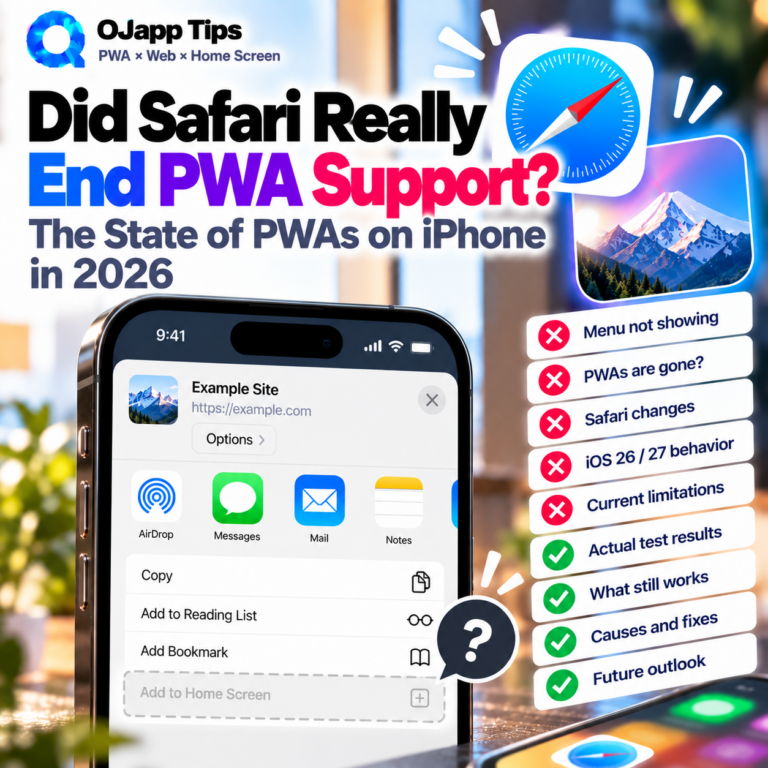
Did Safari Really End PWA Support? The State of PWAs on iPhone in 2026

    “Did Apple kill PWAs on iPhone?” If you searched for information about Progressive Web Apps on iOS over the last few years, you may have seen claims that Safari was ending PWA support. There was a real reason for that confusion. In 2024, Apple announced plans to remove Home Screen web app functionality for users in the European Union as part of its response to the Digital Markets Act (DMA). But that plan was later reversed. And in 2026, PWAs on iPhone are not dead. In fact, recent versions of iOS have expanded how websites can behave when added to the Home Screen. So what actually happened between 2024 and 2026? Let’s separate the old headlines from how Home Screen web apps actually work on iPhone today. Are PWAs dead on iPhone in 2026? No. PWAs and Home Screen web apps are still supported on iPhone. Users can still add websites to the Home Screen and launch them as web apps. Web App Manifest settings are still supported, and developers can use them to define things such as: the app […]

      Top 10 SEO Mistakes Beginners Make (and Why They Hurt Your Rankings)

      Top 10 SEO Mistakes Beginners Make (and Why They Hurt Your Rankings) When you’re new to SEO, it’s easy to do things that seem helpful… but actually lower your search rankings. This article explains the 10 most common “beginner mistakes” and why they backfire. These are simple to fix — changing just a few habits can improve your SEO immediately. 1. Keyword stuffing (adding too many keywords) Many beginners still believe “SEO = put the keyword everywhere,” but in 2026 keyword stuffing is a guaranteed penalty. Makes the content unnatural Reduces readability Signals “manipulation” to Google Natural writing ranks better — period. 2. Titles that are too long or packed with keywords When a title is over 30–40 characters, CTR drops. Google simply cuts off long titles in search results. Short, clear titles perform better. 3. The target keyword doesn’t appear in the title or content A common beginner mistake: You think you’re writing for a keyword, but the keyword never actually appears. Example: You want to rank for “change home screen icon,” but the article never uses that phrase. […]

        Why AI-Generated SEO Articles Don’t Rank — And How to Fix It (2026 Edition)

        Why AI-Generated SEO Articles Don’t Rank — And How to Fix It (2026 Edition) With the rise of ChatGPT and AI writing tools, creating blog posts has become easier than ever. But the reality is this: AI-generated articles often fail to rank well in search engines. In this article, we break down why AI content underperforms and how to turn AI-assisted writing into high-ranking SEO content. 1. The biggest reason AI articles don’t rank: They become “averaged content” AI models generate the most statistically common answer based on huge datasets. This means the output naturally becomes generic and unoriginal. Typical signs of averaged AI content Feels similar to other articles on the web Lacks E-E-A-T (experience, expertise, authoritativeness, trust) No real opinions or insights No personal anecdotes or unique data From 2024–2026, Google increasingly penalizes low-originality pages. Pure AI content falls into this trap almost immediately. 2. Readers want “human experience” — something AI cannot generate Among the E-E-A-T elements, the strongest ranking signal is Experience — actual human involvement. AI has no real experiences, so its writing lacks emotional […]

          Scroll Speed & SEO: How Many Seconds Until Readers Leave? (2026 Guide)

          Scroll Speed & SEO: How Many Seconds Until Readers Leave? (2026 Guide) In the mobile-first SEO era, one UX factor is gaining major importance: scroll speed. How fast users move through your page — or whether they scroll at all — directly affects engagement signals that influence SEO. Google does not officially list scroll speed as a ranking factor. However, it strongly impacts dwell time, bounce rate, and completion rate, making it an indirect but powerful SEO element. 1. How many seconds before users leave? New 2026 data Recent studies show that most mobile readers decide whether to stay or leave within 3–7 seconds. The reason is simple: readers judge the article based on the first screen — the “above the fold” area. Hard to read Unclear value Heavy layout or slow rendering Dense or intimidating text If the first impression fails, users will not scroll at all. In other words, the first few seconds of scrolling behavior predict SEO performance. 2. Scroll speed reflects “readability” of the article Smooth scrolling usually means the reader is following the content naturally. […]

            Why Writing Blog Posts on Your Phone Is Surprisingly Great for SEO (2026 Edition)

            Why Writing Blog Posts on Your Phone Is Surprisingly Great for SEO (2026 Edition) For years, people believed that “real blogging requires a PC.” But that era is over. Today, in 2026, many site owners have discovered that writing on your phone can actually be stronger for SEO. In fact, blogs written primarily on mobile tend to naturally improve: Search intent accuracy Content clarity and speed Update frequency This article explains why mobile writing aligns perfectly with modern SEO. 1. Mobile writing keeps you aligned with real search intent The most important factor in SEO is matching search intent. When you write on a smartphone, you see exactly what your readers see — their screen size, their UX, their reading behavior. As a result, you naturally think like a search user: “Would I click this title?” “This intro is too long for mobile.” “This paragraph needs to be shorter.” Writing on a PC often disconnects you from how mobile readers behave, but writing on a phone keeps you inside the user’s mindset. 2. Mobile typing forces simplicity (which Google loves) […]

              Home Screen Design Guide: Best Image Sizes for Icons, Wallpapers, and Widgets (Made on Your Phone)

              Home Screen Design Guide: Best Image Sizes for Icons, Wallpapers, and Widgets (Made on Your Phone) If you want to make your iPhone or Android home screen look beautiful, knowing the optimal image sizes makes everything cleaner and easier. Wallpapers, icons, widgets — each element has a recommended image size that prevents distortion and keeps your layout consistent. This guide summarizes the essential image sizes for anyone designing a home screen directly on their phone. 1. Best Image Size for Home Screen Icons (Web Icons) When saving a web icon (WebClip) to your home screen, use: 1024 × 1024 px (recommended) PNG format (transparent background allowed) No need for rounded corners — iPhone applies them automatically The 1024px size ensures crisp visuals on both iPhone and Android. OJapp also uses this size as the default for icon generation. Note: White backgrounds + thin lines may appear faint when shrunk. High contrast and clear shapes are safer. 2. Best Wallpaper Sizes for iPhone (Lock Screen / Home Screen) Modern iPhones use high-resolution wallpapers. Examples: 1290 × 2796 px (iPhone 15 Pro […]

                How to Save Images on iPhone and Android: Long-Press Is Still the Easiest Way

                When saving images on iPhone or Android, the long-press save method is actually the fastest, safest, and most reliable option. Many users experience the common problem: “I downloaded the image, but it’s not in my Photos app.” This guide explains why long-press saving solves that issue 100% of the time. Conclusion First: Long-Press Saving Is Always the Correct Choice Long-press saving guarantees that the image: Goes directly into the Photos app Never gets lost in the Downloads folder Requires no extra steps Works consistently across Safari and Chrome In contrast, the “Download” button does not save images to Photos—it saves them to the device’s file system, which is why many beginners cannot find their images afterward. Why the “Download” Button Causes So Much Confusion On both iPhone and Android, downloads go to a completely different place from photos: iPhone: Files app → Downloads folder Android: Internal storage → Download folder Most users expect downloaded images to appear in the Photos app… but they don’t. This is the root cause of the common complaint: “I saved it, but it’s not there!” […]

                  OJapp Splitter Mobile Guide: How to Cleanly Split Photos on Your Phone (Square & 3:4 Only)

                  OJapp Splitter Mobile Guide: How to Cleanly Split Photos on Your Phone (Square & 3:4 Only) OJapp Splitter is a lightweight web tool designed to split photos on smartphones using only two essential aspect ratios: Square and 3:4. No app installation is required, and the entire process runs on your device, making it fast, private, and easy to use. This guide explains how to make the most of Splitter on your phone. Why OJapp Splitter Uses Only “Square” and “3:4” Unlike many image-editing apps that offer every possible aspect ratio, OJapp Splitter intentionally limits the options to two: Square: Ideal for icons, SNS thumbnails, profile photos 3:4: Matches almost all smartphone photos and feels natural These two ratios cover more than 80% of real-world mobile use cases, allowing the tool to stay fast, simple, and high quality. 4 Practical Mobile Use Cases for OJapp Splitter 1. Create perfectly aligned Instagram posts Instagram looks simple, but its automatic cropping is strict and often unpredictable. Using the 3:4 ratio keeps compositions stable and prevents accidental cropping. With OJapp Splitter, you can easily […]

                    SameSite Cookies Explained for Beginners: A Simple Visual Guide

                    SameSite Cookies Explained for Beginners: A Simple Visual Guide The SameSite attribute sounds technical, but the idea behind it is actually simple. It controls when a browser is allowed to send your cookies. Modern browsers like Chrome changed their default behavior, which is why cookies are no longer sent automatically across different websites. This guide uses simple visual explanations to help beginners understand the difference between SameSite=Lax, Strict, and None. What Is the SameSite Attribute? SameSite decides under what conditions a cookie will be sent. Before SameSite became strict, cookies were sent everywhere — even when loading images or iframes from another domain. That made cross-site tracking extremely easy. SameSite fixes this by giving browsers clear rules. Visual Guide: The 3 SameSite Modes ::contentReference[oaicite:0]{index=0} SameSite has only three values: Strict — most restrictive Lax — the modern default None — for third-party cookies (requires Secure) ① SameSite=Strict — “Only from your own site.” Strict means the cookie is sent ONLY when navigating inside the same site. For example, a cookie from example.com will: ✔ Send when browsing inside example.com ✘ […]

                      The Real Reason Cookie Consent Banners Exist: GDPR, Tracking, and Modern Web Regulations Explained

                      The Real Reason Cookie Consent Banners Exist: GDPR, Tracking, and Web Regulations Explained Cookie consent banners appear on almost every website today. Many beginners hear, “It’s because of GDPR,” but the real reason is deeper: a mix of web technology, privacy regulations, and modern tracking limits. This article explains, in an intermediate and developer-friendly way, why cookie consent is required and what technical changes created this situation. 1. The Critical Difference: First-Party vs Third-Party Cookies The cookie debate is not about cookies themselves, but who creates them and what they’re used for. ① First-Party Cookies Created by the website you are currently viewing Used for login sessions, language settings, shopping carts, etc. GDPR considers them “essential” → consent not required ② Third-Party Cookies Created by external services (ads, analytics, tracking scripts) Can follow users across multiple websites GDPR requires explicit consent Cookie banners exist mainly because of third-party cookies. 2. GDPR Requires “Transparency and Choice” Under GDPR (2018), websites must: Explain why data is collected Allow users to accept or reject tracking cookies Gain explicit consent before using non-essential cookies […]

                      OJapp Tips  -  PWA・ホーム画面追加の実機検証ブログ

                      OJapp Tips - Practical PWA & Home Screen UX Lab

                      OJapp Tips is a technical blog documenting real-world PWA behavior, iPhone Safari quirks, home screen installation, manifest.json, Service Worker, Web App Manifest, WebClip, icon cache issues, and practical web development tips based on actual testing with iPhone, Android, and PC.

                      The articles are based on hands-on experiments from PWA LAB and real development experience with OJapp, Petal, and OJ-Pass. Instead of only repeating official documentation, OJapp Tips focuses on the details developers actually get stuck on.