
This site uses the original WordPress plugin OJapp PWA Marketing.
Each article can be added to your Home Screen with its own dedicated icon.
- 1 Why start_url: “.” May Be the Best Choice for PWAs That Should Reopen the Same Page
- 1.1 What is start_url?
- 1.2 The problem: the page the user added and the page that opens can be different
- 1.3 This is where start_url: “.” becomes useful
- 1.4 A fixed /lab start_url is not wrong
- 1.5 For OJapp, returning to the added page matters a lot
- 1.6 This also fits Petal-style profile pages
- 1.7 What I learned: PWA paths and scope can get messy
- 1.8 When start_url: “.” is a good fit
- 1.9 When a fixed URL is a better fit
- 1.10 iPhone and Android also feel different
- 1.11 Conclusion: if each page is an entrance, start_url: “.” is powerful
- 1.12 Related articles
- 1.13 Summary
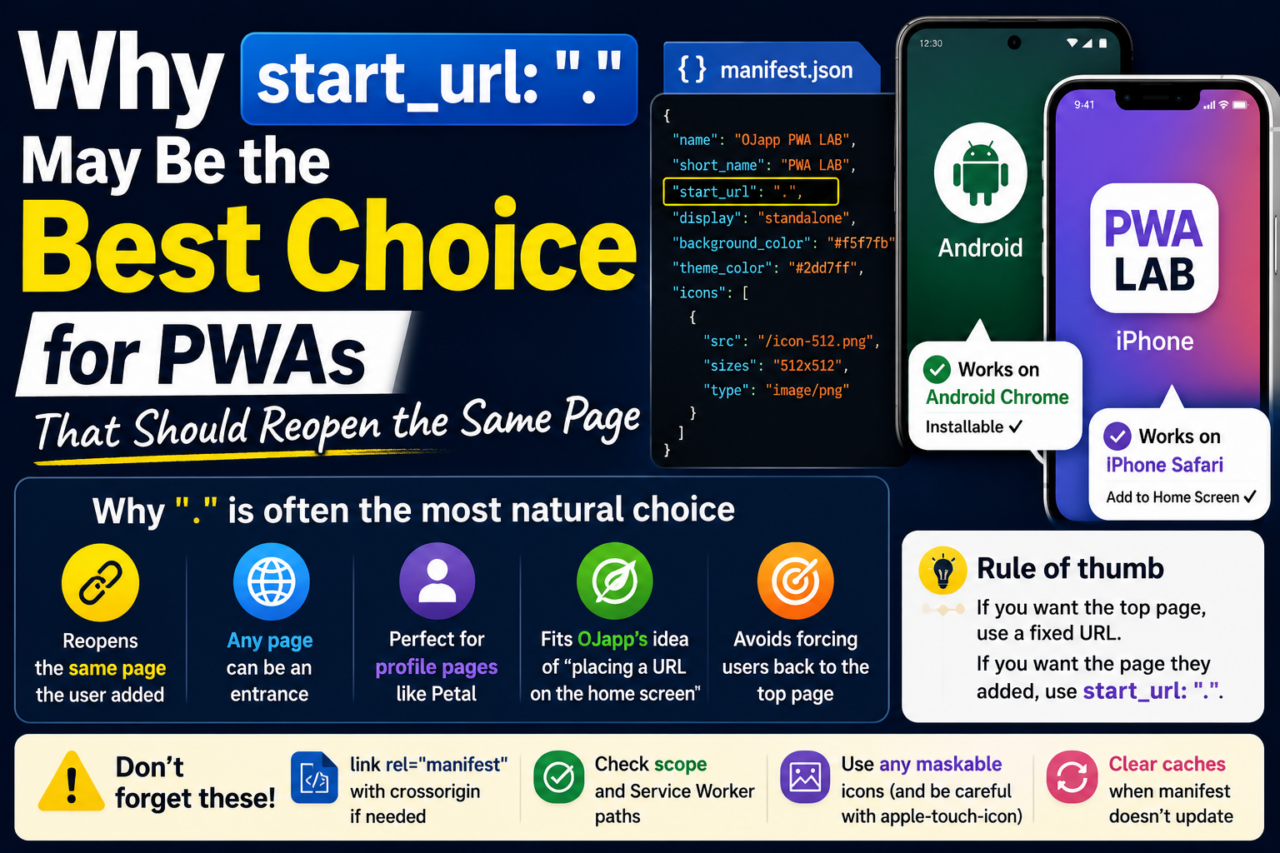
Why start_url: “.” May Be the Best Choice for PWAs That Should Reopen the Same Page
In a PWA manifest, there is a setting called start_url.
This setting tells the browser which URL should open first when the PWA is launched from the home screen.
At first, it feels natural to write a fixed URL like "/lab" or "/app".
But after testing different patterns in PWA LAB, I started to feel this:
If there is no special reason to force a fixed page, start_url: "." may be the most natural choice.
What is start_url?
start_url is the URL that opens when the PWA is launched from the home screen.
For example, if your manifest contains this:
"start_url": "/lab"then opening the home screen icon will usually take the user to /lab.
This is easy to understand.
If your PWA is a top page or a fixed app-style entry point, this works fine.
But there are more complicated cases.

The problem: the page the user added and the page that opens can be different
Imagine a user is viewing a page like /lab/app/demo.
They like that page and add it to their home screen.
From the user’s point of view, they added “this page” to the home screen.
But if the manifest has start_url: "/lab", opening the home screen icon will take them back to /lab.
Technically, that may be correct.
But as a user experience, it feels slightly wrong.
The user wanted to save that specific page, but the PWA sends them back to a different entrance.
 iOS and Android Have Different Goals for PWAs: The Real Difference Beyond Support or No Support
This is where start_url: “.” becomes useful
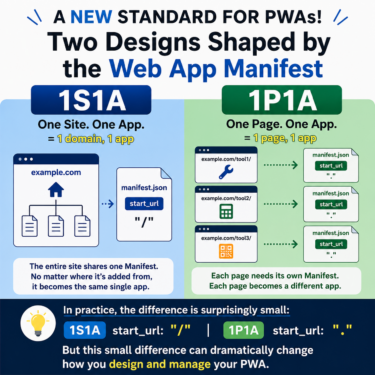
start_url: "." is a way to define the starting point relatively.
Roughly speaking, instead of forcing the PWA back to a fixed top page, it makes it easier to launch from a place closer to the context where the PWA was added.
While testing in PWA LAB, I felt that "." often made more sense than a fixed URL when dealing with multiple experiment pages or token-based pages.
Especially when the experience is “add this page to the home screen,” forcing start_url too strongly can feel unnatural.
A fixed /lab start_url is not wrong
Of course, start_url: "/lab" is not a bad setting.
If you only want to turn the PWA LAB top page into an app-like entry point, a fixed /lab start URL is clear and simple.
A fixed URL also works well for news apps, dashboards, admin tools, or any service that should always begin from the same entrance.
But the story changes when each page has its own meaning.
If the user wants to place the exact page they are viewing on the home screen, a fixed URL can be too strong.
For OJapp, returning to the added page matters a lot
OJapp focuses on placing URLs on the smartphone home screen.
It is not only about making a website look like an app. It is more about turning a URL into an entrance.
So if a user adds a certain page to the home screen, it feels natural for that same page to open the next time.
This is a little different from the way normal apps work.
Most apps start from a top screen.
But on the web, every page can be an entrance.
If you want to keep that web-like feeling inside a PWA, start_url: "." feels like a strong match.
This also fits Petal-style profile pages
The same idea applies to a service like Petal, where a person’s digital card page can be placed on the home screen.
What the user wants to save is not the top page of the whole service.
It is someone’s card, someone’s page, someone’s entrance.
If they add that page to the home screen, but every launch sends them back to the service top page, it feels very wrong.
For an experience like “placing a person on the home screen,” returning to the added page is not a small detail. It is part of the core UX.
This is less about a technical PWA setting and more about home screen experience design.
What I learned: PWA paths and scope can get messy
In PWA LAB, start_url was not the only thing that caused trouble.
Service Worker paths, manifest scope, trailing slashes, and relative paths all matter.
Once these things start interacting, a PWA can break more easily than expected.
For example, if the URL already ends with / and you add /sw.js to it, you may accidentally create a strange path like //sw.js.
Small path mistakes like this can stop the Service Worker from registering or make the cache target the wrong files.
That is why the base URL matters a lot in PWA development.
start_url: "." is useful partly because it avoids forcing the starting point too rigidly.
When start_url: “.” is a good fit
start_url: "." is a good fit for cases like these:
- You want the exact page the user is viewing to become the home screen entry
- You want to treat multiple lower-level pages like PWA entries
- You want token-based or individual pages to work as entry points
- You do not want to force users back to the top page
- You want to keep the web-like idea that any page can be an entrance
On the other hand, if your service should always start from the app top page, a fixed URL may be easier to understand.
So the real question is not which one is universally correct. It is how you want people to use that PWA.
When a fixed URL is a better fit
A fixed URL is a better fit for cases like these:
- You want the app to always start from the top screen
- You always want users to return to a login page or dashboard
- Individual pages do not have much independent meaning
- You want to keep the user flow unified
- You are building an admin screen or business tool with a fixed entrance
In these cases, writing something like start_url: "/app" or start_url: "/dashboard" is clearer.
But if you care about returning to the page the user actually added to the home screen, use a fixed URL carefully.
iPhone and Android also feel different
While building PWA LAB, I was reminded again how different Android Chrome and iPhone Safari feel.
On Android, manifest settings tend to be reflected in a more visible way.
Settings like display, theme_color, and orientation are easier to test and compare.
On iPhone Safari, the experience still feels closer to WebClip in some ways.
You can add a site to the home screen, but it is not the same as the Android-style install experience.
That is why even a basic setting like start_url is hard to judge without testing it on actual devices.
Conclusion: if each page is an entrance, start_url: “.” is powerful
If you are building a PWA like a normal app, using a fixed start_url is fine.
But if you want a web page itself to become a home screen entrance, start_url: "." feels very natural.
Return to the page the user added.
Do not force them back to the top page.
Keep the meaning of each URL.
This way of thinking fits services like OJapp and Petal, where the point is to place an entrance on the home screen.
Related articles
If you want to start from the basics, read What Is a PWA? A Simple Explanation of How Websites Become App-Like on Smartphones.
If you want to understand the setup process including manifest.json and Service Worker, read How to Build a PWA: manifest.json, Service Worker, and Home Screen Support.
If you are interested in the iPhone side, PWA vs WebClip: Which Should You Use on iPhone? is also closely related.
Summary
start_url is an important setting that decides the entrance of a PWA when it launches.
If you want the PWA to return to the top page, use a fixed URL.
If you want it to return to the page the user added, "." is a strong option.
Just being aware of this difference can change the whole home screen experience.
PWA design is not only about writing the manifest correctly. It is also about understanding what the user thinks they placed on their home screen.
In that sense, I think start_url: "." is a very powerful choice.