This site uses the original WordPress plugin OJapp PWA Marketing.
Each article can be added to your Home Screen with its own dedicated icon.
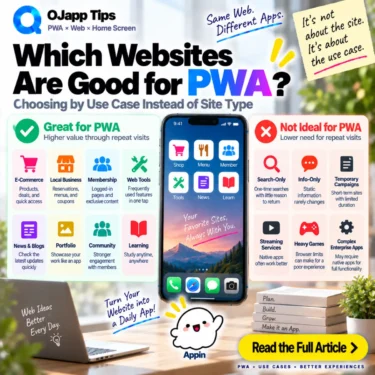
What kinds of websites are actually a good fit for PWA?
E-commerce, blogs, membership services, and web applications are common answers.
But after building and testing different PWA designs, I no longer think the website category is the most useful way to answer the question.
Does the user have a reason to return to this URL?
That is a much simpler way to think about whether PWA makes sense.
- 1 Return visits are a useful starting point
- 2 Blogs are a good fit when readers return to useful content
- 3 E-commerce works when there is something worth returning to
- 4 Web tools are one of the clearest PWA use cases
- 5 Membership services naturally involve repeat visits
- 6 A local business becomes interesting when it becomes “my regular place”
- 7 Sometimes only one page of a website is a good PWA candidate
- 8 So what is not a strong fit for PWA?
- 9 One-time landing pages can also be a weak fit
- 10 A basic corporate information site may also have low priority
- 11 A page does not have to be used every day
- 12 Offline support is a separate decision
- 13 Push notifications are also optional
- 14 Five questions can help identify a useful PWA
- 15 Think about URLs worth keeping, not categories of PWA-friendly websites
- 16 Then decide whether the site or the page is the app
- 17 PWA can start much smaller than people expect
- 18 The simplest test is: “Will I use this URL again?”
Return visits are a useful starting point
PWA discussions often focus on offline support, Service Workers, Push notifications, and standalone display modes.
That can make it seem as if a website needs those advanced capabilities before PWA becomes worthwhile.
But in 2026, we can also think about PWA in a much simpler way:
Web page exists
->
Add it to the home screen
->
Return from the home screen next time
That alone can be useful.
So the first question becomes:
Will the user want to open
this page again?
If the answer is yes, a persistent home screen entrance may have value.
If the page will probably never be used again, that value becomes much smaller.
I discuss this simpler view in What Are the Benefits of PWA? Why “Being on the Home Screen” Is Enough in 2026.
Blogs are a good fit when readers return to useful content
Whether a blog benefits from PWA depends on the content.
If every article is read once and forgotten, there may be little reason to keep individual pages on the home screen.
But repeat-use content is different:
- step-by-step guides
- recipes
- reference pages
- study material
- living articles that are updated regularly
Those pages can be opened repeatedly.
Find a useful article
->
Keep it on the home screen
->
Open it directly when needed again
The value is not limited to making a blog look like an app.
It can give repeat-use content a persistent return path.
 PWAs Can Do This: How to Add User-Specific Pages to the Home Screen
E-commerce works when there is something worth returning to
E-commerce is another clear example.
If someone repeatedly shops at the same store, the whole store can become one home screen application.
But the web also gives every product its own URL.
That means a home screen entry can represent:
A product being considered
A product being compared
A product waiting for release
A product purchased repeatedly
The useful principle is not simply “e-commerce is good for PWA.”
It is useful because the shopper has a reason to return to the store or product.
Web tools are one of the clearest PWA use cases
Web tools are particularly easy to understand in this model.
Examples include:
- timers
- calculators
- image converters
- password generators
- character counters
- QR code generators
A useful tool may be opened repeatedly.
Instead of searching for it every time:
Home screen
->
Tool icon
->
Use tool
The tool keeps the lightweight distribution model of the web while gaining a place among the user’s everyday utilities.
Membership services naturally involve repeat visits
Membership sites are also strong candidates because repeat usage is built into the service.
Users may repeatedly need:
- account dashboards
- reservations
- learning pages
- order history
- management tools
There is no inherent need to search for the service and navigate from the public homepage every time.
Home screen
->
Account area
->
Use regular feature
This does not bypass authentication.
If login is required, the web service should continue to enforce it normally.
The PWA simply provides the return entrance.
A local business becomes interesting when it becomes “my regular place”
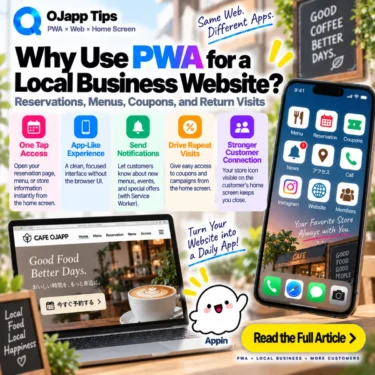
A local business website can initially look like a weak PWA use case.
Someone searches for the business, checks its location and hours, and leaves.
If that is the only interaction, a normal website may be enough.
But once the customer starts returning, the needs change:
Make another reservation
Check the menu
Check opening hours
Open a coupon
The important factor is not that it is a local business website.
The value appears when it becomes a place the customer expects to use again.
Sometimes only one page of a website is a good PWA candidate
Judging PWA only at the website level can hide useful opportunities.
Imagine a corporate website where most pages are rarely revisited.
But perhaps it also contains:
/reservation/
/calculator/
/manual/
/member/
/status/
Those individual pages may be used repeatedly.
The whole corporate website may not need to become one application, but one useful page can still deserve a home screen entrance.
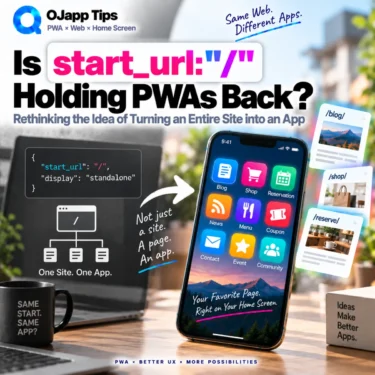
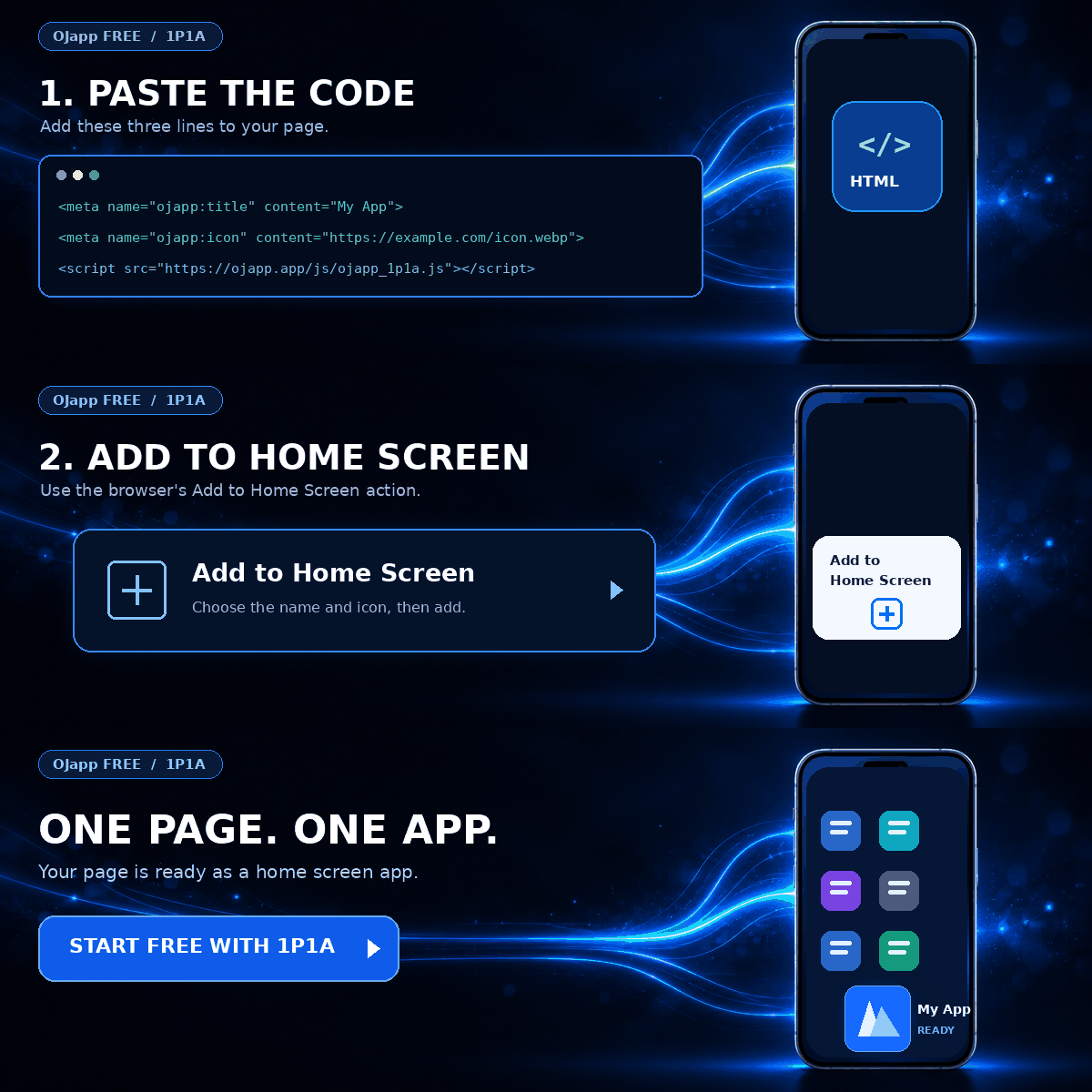
This is the idea behind what I call 1P1A: One Page. One App.
Instead of only asking “Is this website suitable for PWA?”, we can ask “Is this page suitable for PWA?”
So what is not a strong fit for PWA?
This does not mean certain pages technically cannot become PWAs.
It means the benefit of keeping them on the home screen may be weak.
A simple example is a one-time information page:
Read announcement once
->
Finish reading
->
Never need it again
There is little reason to give that page permanent space on the home screen.
Similarly, if users always arrive from search, read different pages each time, and have no reason to return to a particular site or URL, the home screen benefit may be limited.
Being technically capable of becoming a PWA and being useful as a PWA are different things.
One-time landing pages can also be a weak fit
An advertising landing page may not need a PWA layer if its entire journey is:
Advertisement
->
Landing page
->
Purchase or inquiry
->
Finished
If there is no future use for the page, keeping it on the home screen does not add much.
But if the landing page leads into a service or tool the user will continue using, the situation changes.
Again, the key is not the page category.
It is whether there is a next visit.
A basic corporate information site may also have low priority
A corporate site containing only company information may not need PWA to be a priority if visitors rarely return.
Reading the company profile, leadership message, or business description once may be enough.
But the same corporate website could contain:
- a customer portal
- a reservation system
- a business tool
- a support page
- information checked regularly
Those specific areas can still be considered separately.
The entire domain does not have to receive one answer.
A page does not have to be used every day
Frequent daily use is often presented as a sign that a service is a good PWA candidate.
Daily use certainly makes a home screen entry easier to justify.
But I do not think the requirement needs to be that strict.
A salon booking page may only be used every few weeks or months.
Yet the intent is still clear:
I will book this same place again.That can be enough reason to keep the entrance.
The important factor is not only frequency.
It is whether the user already knows where they want to return next time.
Offline support is a separate decision
Offline capability does not need to be the first test for whether a site is suitable for PWA.
A web tool that works locally may benefit from a Service Worker and explicit caching.
An e-commerce or reservation service may depend on a server and therefore remain online-only for its main functions.
It can still benefit from direct home screen access.
Home screen entry
!=
Offline support
They can be designed as separate capabilities.
Push notifications are also optional
Push is another feature commonly associated with PWA.
But every PWA does not need to send notifications.
A perfectly valid experience can simply be:
User needs something
->
User opens it from the home screen
I describe this user-initiated return path as part of home screen marketing.
Instead of always pushing people back, the home screen can work as a pull-based entrance that users open when they need it.
Five questions can help identify a useful PWA
When deciding whether a site or page is worth putting on the home screen, these questions can help:
- Will the user open this URL again?
- Will they use the same page or feature next time?
- Would avoiding search or bookmarks make the next visit easier?
- Would its name and icon clearly communicate its purpose on the home screen?
- Does one-tap access make the experience meaningfully easier?
Not every answer needs to be yes.
But when several are, the reason for a PWA home screen entry becomes much clearer.
Think about URLs worth keeping, not categories of PWA-friendly websites
Once you look at the problem this way, there is less need to classify entire industries as good or bad for PWA.
| Use case | Reason to keep it on the home screen |
|---|---|
| Blog | Return to useful content |
| E-commerce | View or buy a product again |
| Web tool | Launch a frequently used function |
| Membership service | Return to an account or feature |
| Local business | Check bookings, menus, or opening hours |
The common factor is not the industry.
It is the behavior: “I will use this URL again.”
Then decide whether the site or the page is the app
Once a reason to return exists, the next question is what should count as one application.
If the user wants to return to the whole site, there is 1S1A: One Site. One App.
If the useful destination is a particular page, there is 1P1A: One Page. One App.
Use the site itself
->
1S1A

Use a particular page or function
->
1P1A
I compare these approaches in The Two Directions of PWA Design: 1S1A and 1P1A.
PWA can start much smaller than people expect
The word PWA can make the project sound larger than it needs to be.
You can start by providing the Manifest and creating a useful home screen entry.
If offline behavior matters, add a Service Worker and an appropriate cache strategy.
If notifications matter, evaluate Push.
If page-level entrances matter, change the Manifest architecture.
Features can be added because the product needs them.
You do not need to begin with an everything-included PWA.
The simplest test is: “Will I use this URL again?”
There is no single category of website that is always ideal for PWA.
Two blogs can have completely different repeat-use patterns.
Two online stores can have completely different customer behavior.
Two local business websites can have completely different reasons for return visits.
So I find it more useful to start with user behavior:
Will I use this URL again?

YES
->
A home screen entry may be useful

NO
->
A normal web page may already be enough
The best PWA candidates are not limited to particular industries or special web applications. They are URLs users have a reason to return to.
Ask whether that URL deserves a place on the home screen.
That question alone can make PWA architecture much easier to think about.

Add OJapp Tips as a preferred source on Google
Make it easier to find OJapp Tips articles in Google Search.