This site uses the original WordPress plugin OJapp PWA Marketing.
Each article can be added to your Home Screen with its own dedicated icon.
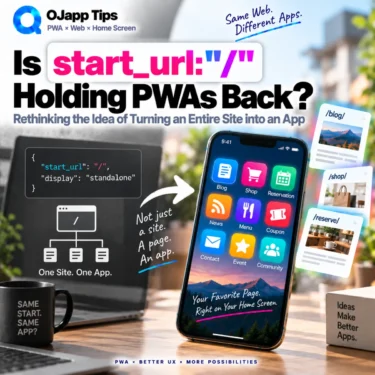
Look at enough Web App Manifests and you will see the same setting again and again:
{
  "start_url": "/",
  "display": "standalone"
}
There is nothing technically wrong with this.
But personally, I do not like start_url: "/" very much.
The reason is simple.
I add a page to my home screen, tap the icon later, and end up on the site’s home page instead.
As a user, I never found that behavior particularly useful.
I understand the reasoning behind it. If the whole site is designed as one application, forcing every launch through a central entry point can be an intentional design choice.
But there is an important distinction here:
Being technically valid does not automatically make something the right design for that particular service or user experience.
While testing different home screen behaviors in PWA LAB, I started asking a different question.
If the user already chose a specific URL, why do we need to throw that choice away when they add it to the home screen?
This is not about claiming that start_url: "/" is technically incorrect.
It is about questioning the assumption that a PWA should always mean “turn the entire website into one app.”
- 1 What actually happens with start_url:”/”?
- 2 A PWA already has context when it is added
- 3 If it behaves like the native app, why choose the PWA?
- 4 Are we too attached to the idea of turning a site into an app?
- 5 start_url:”/” is valid. But is it necessary?
- 6 Respecting the URL the user chose
- 7 That idea led to 1P1A
- 8 So is start_url:”/” the reason PWAs have not taken off?
What actually happens with start_url:”/”?
The start_url member of a Web App Manifest defines the starting URL used when the PWA is launched.
Imagine a site with these pages:
https://example.com/
https://example.com/news/
https://example.com/products/item-a/
A visitor finds Product A and thinks, “I will probably want to come back to this,” so they add it to their home screen while viewing that product page.
Now imagine the Manifest contains this:
{
  "start_url": "/"
}
The configured launch point is the site’s root.
This creates an interesting difference between what the developer may think happened and what the user may think happened.
From the developer’s perspective, the user installed the PWA for example.com.
From the user’s perspective, they may feel that they just put Product A on their home screen.
Then they tap the icon.
Product A does not open. The site’s home page does.
That is the gap between the app boundary defined by the developer and the entry point the user actually chose.
A PWA already has context when it is added
I think this is one of the important differences between a native app and a PWA.
With a native app, you normally go to an app store and install the application itself.
There is usually no URL context such as “I installed this while viewing this particular product” or “I installed this while looking at this profile.”
So when the native app launches into a home screen, feed, dashboard, or another entry point chosen by the service, that feels natural.
A PWA is different.
In many cases, the user is already browsing the Web before they add anything to the home screen.
More importantly, they are not just somewhere on the website.
They are on a specific URL when they choose “Add to Home Screen.”
Maybe they are reading an article.
Maybe they are looking at a product.
Maybe they are viewing someone’s profile.
Maybe they are using a particular Web tool.
So a PWA already has context at the moment it is added: the URL the user was looking at.
Using start_url: "/" can mean choosing the developer-defined application entry point over that user-selected context.
There may be good reasons to do that.
But should it automatically be the default for every PWA?
 PWAs Can Do This: How to Add User-Specific Pages to the Home Screen
If it behaves like the native app, why choose the PWA?
Consider a social platform that offers both a native app and a Web/PWA experience.
You install the native app, tap its icon, and the app opens to a home screen or recommended feed chosen by the service.
That makes sense.
You installed the application itself, so starting from the application’s main entry point feels natural.
Now consider the PWA version.
You are looking at an account you really like.
You add the site to your home screen from that page.
Then you tap the new icon and arrive at the same generic home or feed that the native app already provides.
That can still be a perfectly functional PWA.
But as a user, my reaction is:
Then why not just use the native app?
If a PWA copies the same entry point and largely the same usage model as an existing native app, one of the reasons to choose the PWA becomes weaker.
Now imagine a different approach.
You are viewing an account you like.
You add that page to your home screen.
That account becomes the entry point represented on your home screen.
Next time, you can start the service from that person.
Now the PWA is doing something meaningfully different from the native app.
This does not mean a social service should always reopen the last account you viewed.
If I launch the normal app, opening the main feed is fine.
The important difference is that the user explicitly chose “Add to Home Screen” while viewing a particular page.
Do we really need to replace that chosen entry point with the site’s root every time?
Are we too attached to the idea of turning a site into an app?
PWAs have often been described as a way to make websites behave more like native apps.
Once you start from that idea, the usual architecture follows naturally: one website, one application, one main launch point.
But if we take that approach too far and simply reproduce the native-app experience, another question appears.
If the goal is only to imitate the native app, what is the PWA uniquely bringing to the experience?
The Web already has something extremely powerful that native apps do not use in the same way.
URLs.
An article has a URL.
A product has a URL.
A profile has a URL.
A tool has a URL.
In some cases, query parameters and fragments can even represent a particular state or location inside a page.
If all of those entry points are collapsed back into the site’s root as soon as the experience becomes a PWA, we may be throwing away one of the Web’s strongest properties in order to make the PWA behave more like a native app.
I previously described this distinction as two different PWA design approaches: 1S1A, where the site is the application unit, and 1P1A, where the page itself becomes the application unit.
start_url:”/” is valid. But is it necessary?
By this point, it is probably obvious that I am not a big fan of start_url: "/".
I’m not.
But that does not make it technically wrong.
There are services where treating the entire site as one application is intentional.
A dashboard, webmail service, or another product with a clearly defined central entry point may have a good reason to launch from the same place regardless of where the PWA was added.
What I question is the jump from “this is a valid design” to “this is the correct design.”
Technically valid and right for the user experience are not the same thing.
If you choose /, is there a reason strong enough to discard the URL the user selected and send them back to the root?
If the page itself has independent value, would preserving that entry point be more useful?
That is the trade-off I think start_url should represent.
Respecting the URL the user chose
This is something I have tested extensively in PWA LAB.
One important part of those experiments has been using start_url: "." to make the current page the basis of the launch URL.
I explain the behavior in more detail in Why start_url:”.” May Be the Best Choice for PWAs That Should Reopen the Same Page.
The idea itself is simple.
The user is viewing a page.
They add that page to their home screen.
When they tap the icon later, that page remains their entry point.
Respect the URL the user chose, and preserve it as the home screen entry point.
To me, that feels much more like using the Web’s strengths instead of hiding them.
That idea led to 1P1A
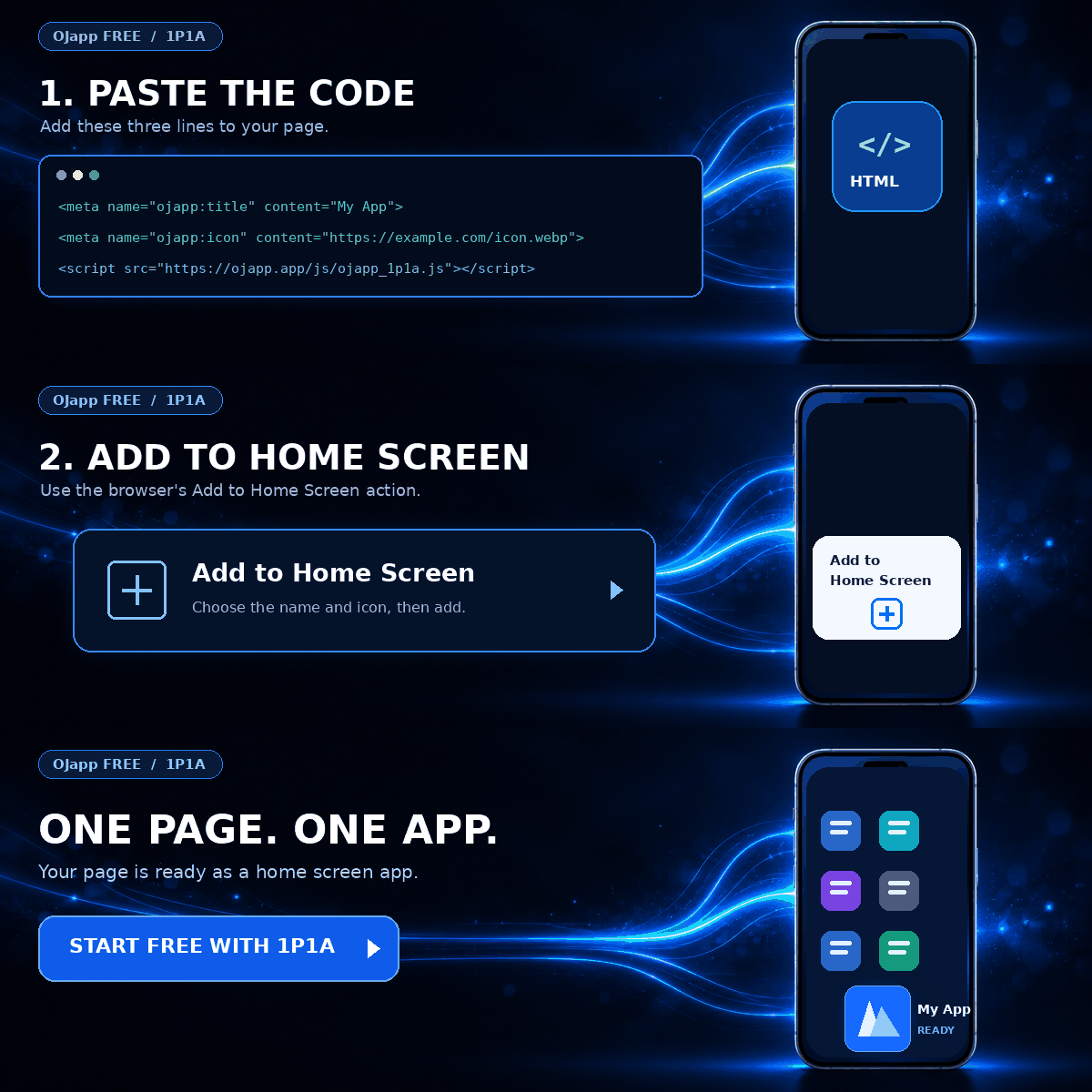
This way of thinking eventually led to what I call 1P1A (One Page. One App.).
1P1A does not mean “/ is wrong, so every PWA should use ..”
There is also 1S1A (One Site. One App.), where the entire site is treated as one application.
A directory or group of related functions can also be treated as a unit with a 1G1A (One Group. One App.) approach.
1P1A simply asks what happens when the page itself becomes the application unit.
A product page becomes an icon that opens that product.
A profile becomes an icon that opens that person.
A timer becomes an icon that opens that timer.
An article becomes an icon that returns to that article.
Rather than inventing a completely new entry point, it preserves the URL the user had already chosen on the Web and brings that entry point onto the home screen.
So is start_url:”/” the reason PWAs have not taken off?
There is no evidence that one Manifest setting alone explains why PWAs have not become more widely adopted.
Operating-system differences, browser behavior, installation UX, discoverability, user awareness, and many other factors are involved.
But as one user, I can say this:
I did not find a PWA particularly useful when I added a page and the icon later opened the site’s home page instead.
And when a PWA simply opens the same generic service entry point as an existing native app, I also find myself asking, “Why not just use the native app?”
That is why I think PWAs should make more use of what the Web already does well.
The Web has URLs.
And a PWA can be added to the home screen while the user is already looking at one of those URLs.
This connects to a broader point I have written about before: a PWA needs to give users a meaningful reason to keep it on the home screen.
start_url is a small Manifest setting, but it can change that experience in a very visible way.
What did the user actually add to their home screen?
The website?
Or the page they were looking at?
A PWA does not have to mean “turn the whole website into an app.”
If we stop trying only to reproduce native apps and instead carry the Web’s URL-based entry points all the way to the home screen, I think there is still a lot of unexplored space in what PWAs can become.

Add OJapp Tips as a preferred source on Google
Make it easier to find OJapp Tips articles in Google Search.