When people explain the benefits of PWAs, the same features often appear: offline support, push notifications, and an app-like interface.
Those are real capabilities, but while building OJapp and running experiments in PWA LAB, I started to think that one of the most useful benefits is much simpler.
A user can find a web page once and return to it later without searching for it again.
In other words, the value is repeat access.
Instead of looking at PWA benefits as a list of features, this article looks at what happens when a useful web page becomes a persistent entry point on the user's home screen.
The web is great at discovery but repeat access can take work
The web has extremely powerful discovery channels.
You can find an article through Google, open a product from social media, or follow a URL someone sent you.
The first visit is easy.
The problem appears a few days later when you want the same page again.
You might:
- search Google again
- look through browser history
- find the original social post
- open the website and navigate back to the page
You already found the page once, but you still need to find the entrance again.
Browsers have bookmarks, of course. A PWA adds another option by bringing that entry point directly onto the phone's home screen.
A home screen icon turns a page into a place you can return to
Imagine a web tool you use every week.
Without a home screen entry, the flow might look like this:
Open Google
->
Search for the tool
->
Open the result
->
Use the tool
Keep that page on the home screen and the flow becomes:
Tap the home screen icon
->
Use the tool
It is a small reduction in steps.
But for something you use repeatedly, that small difference matters.
The page changes from something you have to find into a familiar place you can return to.

Not every PWA needs offline support or push notifications
PWA discussions can make the technology sound much bigger than it needs to be.
You can build a Service Worker, design a caching strategy, add offline support, and implement push notifications.
Some applications absolutely benefit from those features.
But not every website needs all of them.
Sometimes the goal is simply:
- open a booking page quickly
- keep a frequently used calculator nearby
- return directly to a favorite product
- open a dashboard in one tap
- keep a profile or link page within easy reach
In those cases, direct home screen access can already provide meaningful value.
I explored this idea further in What Are the Benefits of PWA? Why Being on the Home Screen Is Enough in 2026.
Thinking about return visits also changes what an app can represent
Once the home screen becomes a return path, another question appears.
Does the icon always need to represent the entire website?
The user may not want to return to the site homepage at all. They may want a specific page.
For an ecommerce site, that could be one product.
For a web service, it could be the tool they use every day.
For a content site, it could be a reference page they repeatedly check.
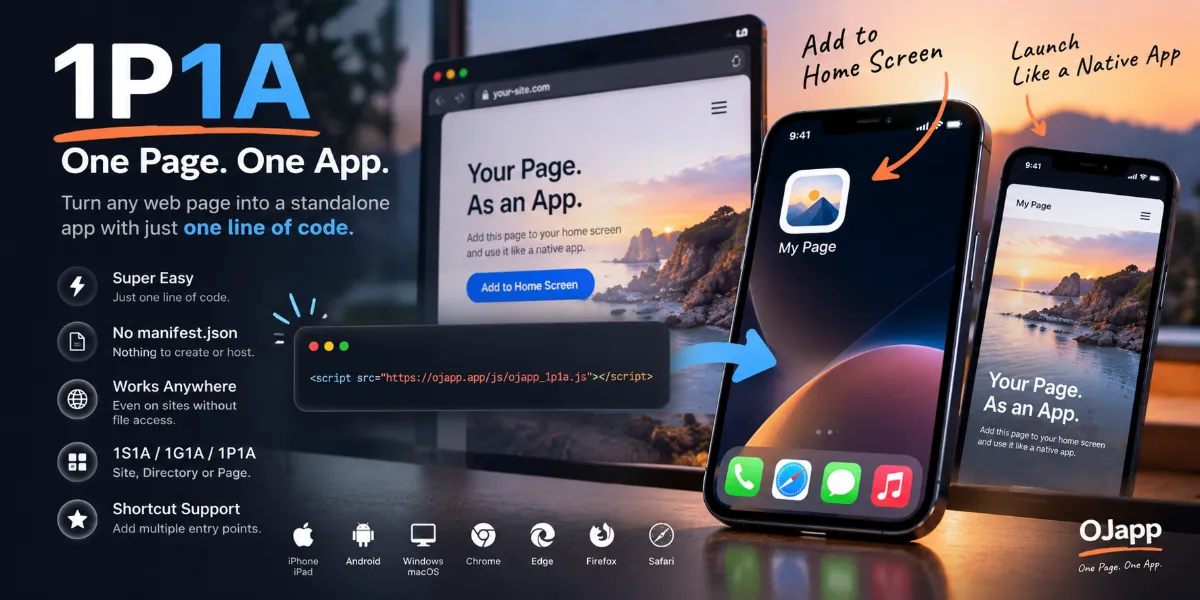
This is part of the idea behind 1P1A (One Page. One App.), a PWA design approach I have been exploring.
One website as one app
vs.
One page as one app
Instead of treating the home screen only as an entrance to a website, it can become an entrance to a specific purpose.
The benefit has to exist for the user
There are obvious reasons why a site owner might want home screen additions.
They may want to:
- increase repeat visits
- strengthen brand recognition
- increase direct access
- reduce dependence on search and social platforms
But those are benefits for the site owner.
They are not enough to make someone give the page space on their own home screen.
The user needs a reason too:
- I do not have to find this again.
- I can reach the page in one tap.
- I can keep a useful web tool next to my apps.
- I can keep only the pages that matter to me.
That user-side value is what makes home screen access sustainable.
That is why simply saying 'install this PWA' is weak
Consider this message:
This website supports PWA. Please install it.
It explains the technology, but not the benefit.
Compare it with:
If you use this often, keep it on your home screen and open it in one tap next time.
You do not need to know what PWA means to understand the second message.
Timing matters too. Asking after someone has finished an article or successfully used a web tool can feel much more natural than asking immediately on the first visit.
I covered that UX question in When Should You Ask Users to Add a PWA to Their Home Screen?.
After users return, the PWA can respond differently
The home screen does not have to be only a shortcut.
JavaScript can detect whether the page is currently running in a standalone PWA context.
const isPWA =
  window.matchMedia('(display-mode: standalone)').matches ||
  window.navigator.standalone === true;
That lets you adapt parts of the interface for the home screen experience.
For example, you can:
- hide Add to Home Screen instructions
- show a returning-user message
- highlight frequently used actions
- show an offer intended for the home screen experience
The home screen can therefore become an entry point with its own return experience, rather than only a faster way to open the same URL.
You can also measure home screen usage
The same standalone check can be connected to analytics.
A normal page view alone does not directly tell you that the current page is being used in a standalone PWA context.
You can send a separate event when that condition is detected:
if (isPWA && typeof gtag === 'function') {
  gtag('event', 'pwa_home_launch', {
    page_path: location.pathname
  });
}
This creates a separate signal for usage occurring in the home screen PWA experience.
For a deeper implementation example, see How to Track PWA Home Screen Launches in Analytics Beyond UTM Parameters.
What matters more: additions or returns?
It is natural to care about how many people add a PWA to their home screen.
But an icon that is never opened again is not doing much as a return path.
On the other hand, a tool kept by only ten users could be extremely successful if those ten people launch it every day.
| Stage | Useful question |
|---|---|
| First visit | Did search, social, or links help people discover the page? |
| Home screen addition | Did the page feel useful enough to keep? |
| Home screen usage | Did users actually return through that entry point? |
| Continued use | Was the page valuable enough to remain there? |
This is why I prefer thinking beyond an install-like number when evaluating a PWA.
Search can be the first entrance, and the home screen can be the next one
Search and home screen access do not compete with each other.
They solve different problems.
Google, social media, or a link
->
Discover the page
->
Use it
->
Decide it is worth returning to
->
Keep it on the home screen
->
Return directly next time
Search is excellent at helping people discover something new.
The home screen is excellent at giving them a short path back to something they already know.
Put those together and the role of a PWA becomes much easier to understand.
The real benefit can be as simple as shortening the return journey
PWAs can do a lot.
Service Workers, caching, offline behavior, push notifications, and standalone presentation can all be useful.
Use those capabilities when the product needs them.
But a PWA does not need every advanced feature before it becomes valuable.
A user can discover a useful page on the web, keep it on the home screen, and return later without searching again.
The site can then recognize the standalone context and design a better experience for that return.
From a web that is discovered to a web that is easy to return to.
That small shift is already a strong reason to think about the home screen when designing a PWA.