This site uses the original WordPress plugin OJapp PWA Marketing.
Each article can be added to your Home Screen with its own dedicated icon.
When people talk about PWA for e-commerce, the usual idea is to turn the entire online store into one app-like experience.
That is a perfectly valid PWA architecture.
But e-commerce also creates another interesting possibility.
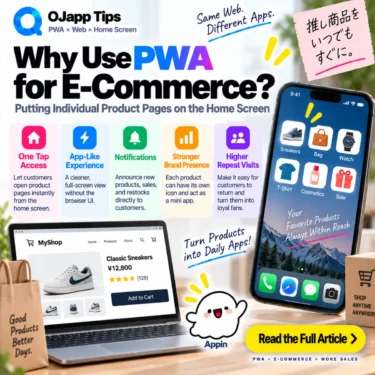
Instead of putting the store on the home screen, put the product there.
A product someone is considering, waiting to buy, or purchasing repeatedly can have its own home screen entry. The next visit can then go directly to that product instead of starting again from search, social media, or the store’s front page.
- 1 A store and a product represent different user intentions
- 2 Put the product page directly on the home screen
- 3 The shopper does not have to find the product again
- 4 It is similar to a wishlist, but the entrance lives somewhere else
- 5 Products that are not purchased immediately are especially interesting
- 6 It can also work for repeat purchases
- 7 The product image can become the icon
- 8 The home screen name can change with the product too
- 9 A site-wide store PWA is still a valid design
- 10 A product still needs a reason to be added
- 11 A home screen icon does not automatically increase sales
- 12 This is a different return model from Push notifications
- 13 The existing product page can remain the product page
- 14 PWA for e-commerce does not have to mean “build a store app”
A store and a product represent different user intentions
The conventional PWA model treats the entire e-commerce site as one application.
Store
->
Store icon on the home screen
->
Tap
->
Storefront
That makes sense when people intentionally return to the store itself, especially for large marketplaces or established retail brands.
But smaller stores and product pages discovered through social media can have a different journey.
The user may not be interested in keeping the entire store.
They may simply want one product.
Discover a product on social media
->
Open the product page
->
Do not buy today
->
Want to look at it again later
In that situation, the most useful saved entrance may be the product page itself.
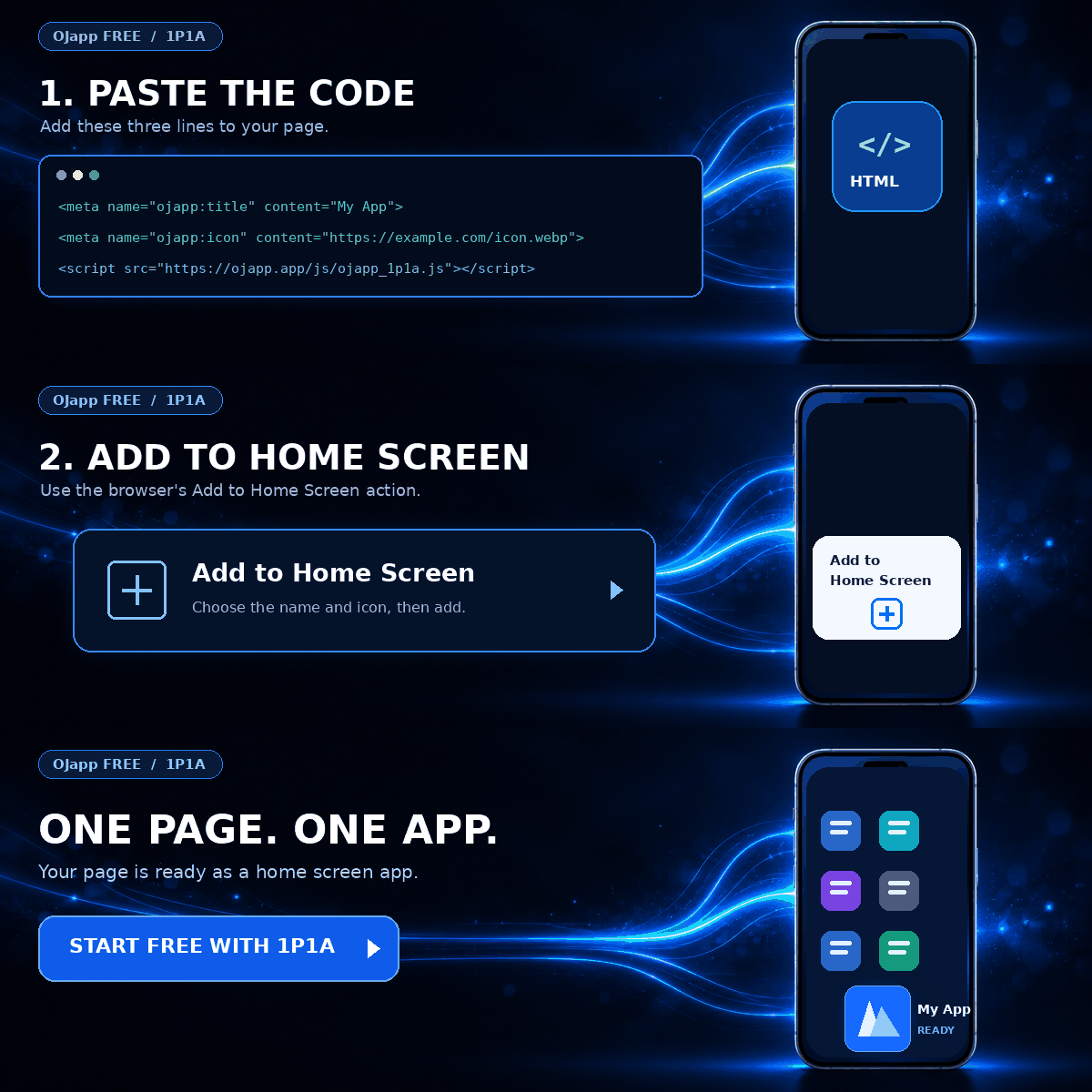
Put the product page directly on the home screen
A PWA does not always have to represent an entire website.
If product pages can provide their own Manifest information, each product can be designed as an individual home screen entry.
For example:
Sneaker A
->
Use the product image as its icon
->
Name it “Sneaker A” on the home screen
->
Tap to open the Sneaker A product page
Another product can have another icon, name, and destination.
Bag B
->
Bag B image
->
“Bag B”
->
Bag B product page
This is the idea behind what I call 1P1A: One Page. One App.
The web already gives each product its own URL. 1P1A extends that page-level structure to the home screen.
 What PWAs Can and Cannot Do on iOS in 2026: A Complete Practical Guide
The shopper does not have to find the product again
Returning to a product can involve more steps than we notice.
Open store
->
Open category
->
Find product
->
Open product page
Or:
Search product name on Google
->
Find the store again
->
Open product page
If the original discovery happened on social media, the shopper might even try to find the original post again.
A product-level home screen entry shortens that path:
Home screen
->
Tap product icon
->
Product page
This does not mean PWA automatically sells more products.
It means the distance between a previous discovery and a future visit can become shorter.
It is similar to a wishlist, but the entrance lives somewhere else
E-commerce sites already have favorites and wishlists.
If the only goal is to save products for later, those features may already be enough.
The difference is where the saved product lives.
A typical wishlist exists inside the store.
Open store
->
Sign in
->
Open wishlist
->
Choose product
A home screen entry moves the entrance outside the store navigation.
Home screen
->
Product
Adding a PWA entry to the home screen also does not inherently require an account belonging to that store.
If checkout, customer history, or member features require authentication, those parts still work according to the normal website’s rules.
The home screen entry and the store account system are separate concepts.
Products that are not purchased immediately are especially interesting
The product-level approach makes the most sense when the purchase decision takes time.
Examples include:
- expensive products that require consideration
- products being compared with alternatives
- products waiting for a release date
- items whose stock may return later
- purchases that need discussion with family or friends
- consumables that are purchased repeatedly
Not every e-commerce visit ends in an immediate purchase.
“I am interested, but not today” is a completely normal state.
A home screen entry gives the user a way to preserve that product relationship after the browser tab is closed.
It can also work for repeat purchases
Another clear use case is a product that someone buys repeatedly.
For example:
Product I buy regularly
->
Keep it on the home screen
->
Tap when I need it again
->
Open product page and purchase
The shopper does not need to begin from the store and search for the same item every time.
The web already has direct product URLs. The home screen can simply make that direct URL easier to return to.
The product image can become the icon
If each product page becomes its own PWA entry, every product does not need to use the same store logo.
Product A can use the image for Product A.
Product B can use the image for Product B.
Product C can use the image for Product C.
That makes the purpose of each home screen entry visually obvious.
Store logo
Store logo
Store logo
can become something closer to:
👟 Sneaker
👜 Bag
⌚ Watch
The page itself gains a visual identity on the home screen.
The home screen name can change with the product too
A dynamically generated Manifest can also provide a product-specific name.
{
  "name": "Sneaker A",
  "short_name": "Sneaker A",
  "start_url": ".",
  "display": "standalone"
}
Another product page can generate another name.
One technical detail matters here: start_url: "." is not a special command that automatically means the currently visible document.
It is a relative URL resolved against the Manifest URL, so this pattern needs an appropriate architecture such as a dynamically generated page-level Manifest.
A site-wide store PWA is still a valid design
This is the difference between 1S1A and 1P1A.
Neither architecture is universally better.
| Architecture | Home screen entry | Best fit |
|---|---|---|
| 1S1A | Entire store | People repeatedly use the store itself |
| 1P1A | Individual product | People want to return to a specific product |
If the brand or store itself is the destination, 1S1A can be a natural fit.
If the product is the destination, 1P1A becomes interesting.
I compare these architectures in more detail in The Two Directions of PWA Design: 1S1A and 1P1A.
A product still needs a reason to be added
It would be strange to ask every visitor to add every product to their home screen immediately.
If the shopper is not interested in the product, there is no reason to keep it.
The message becomes more meaningful when it explains the future benefit:
Considering this product for later?
Keep it on your home screen for direct access.
Or:
Buy this product regularly?
Open it directly from your home screen next time.
The goal should not be “get a PWA installation.”
The goal is to solve the user’s reason for wanting to return.
A home screen icon does not automatically increase sales
This distinction is important.
Making a product page installable does not prove that conversion rates or revenue will increase.
The product still needs to be attractive.
Price, availability, photography, product information, shipping, checkout, and trust still matter.
The PWA layer adds another return path to the product.
Someone who already wants to come back can potentially do so with less friction.
This is a different return model from Push notifications
E-commerce retention often uses email, Push notifications, retargeting, and social advertising.
Those methods generally involve the store reaching back out to the customer.
A saved home screen entry reverses the direction.
Store sends a message
->
Bring the customer back
becomes:
User keeps the product
->
User opens it when they want it
I describe this broader idea as home screen marketing.
Instead of repeatedly calling users back, you leave them with an entrance they deliberately chose to keep.
The existing product page can remain the product page
One of the useful parts of this approach is that you do not need to rebuild every product as a separate native application.
The existing web page remains the destination.
Existing product page
+
Product-specific Manifest
+
Product-specific icon
->
Product entry on the home screen
Product descriptions, stock information, cart logic, checkout, and other commerce features can remain part of the existing web platform.
The PWA layer adds a home screen route back into it.
PWA for e-commerce does not have to mean “build a store app”
When e-commerce and PWA are discussed together, the goal is often to make an entire web store behave more like a native shopping app.
But the web already has a powerful property: every product can have its own URL.
That gives us another design:
Turn the store into an app

or

Turn a product URL into an app entry
A product someone is considering.
A product they are comparing.
A product they are waiting to buy.
A product they purchase repeatedly.
Those are all pages that may be worth returning to directly.
For e-commerce, the interesting PWA opportunity is not limited to making the whole store installable. Individual product URLs can become persistent return points on the user’s own home screen.

Add OJapp Tips as a preferred source on Google
Make it easier to find OJapp Tips articles in Google Search.