This site uses the original WordPress plugin OJapp PWA Marketing.
Each article can be added to your Home Screen with its own dedicated icon.
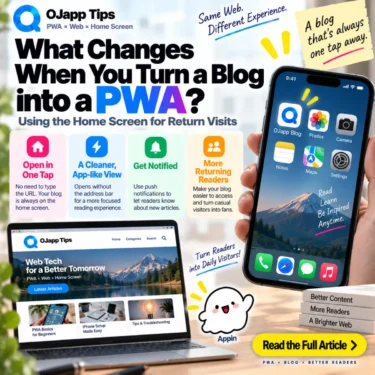
What actually changes when you turn a blog into a PWA?
You might think about app-like display modes, offline reading, or other technical PWA features.
But for blogs, I think one of the most interesting changes is much simpler.
A reader can keep an entrance to your blog on their own home screen.
Instead of discovering an article through search or social media once and disappearing, they can potentially return later by tapping an icon they deliberately chose to keep.
That home screen return path is where I see much of the practical value of PWA for blogs.
- 1 A normal blog usually has to be found again
- 2 Turning a blog into a PWA does not replace the website
- 3 You can put the entire blog on the home screen
- 4 But you can also keep one specific article
- 5 A page-level PWA is a different idea from a browser bookmark
- 6 PWA works best for blogs when there is a reason to return
- 7 A frequently updated publication may work better as one site-wide app
- 8 Being on the home screen does not guarantee more return visits
- 9 “Add this to your home screen” is not enough
- 10 Think about what happens after the blog is added
- 11 A blog can become part of home screen marketing
- 12 Before making a blog a PWA, decide what readers should keep
- 13 The biggest change may simply be where the entrance lives
A normal blog usually has to be found again
Readers can arrive at a blog in many ways:
- Google Search
- social media
- links from other websites
- browser bookmarks
- direct URLs
For a search-driven blog, a common journey is simple: search for a question, read an article, and close the browser.
Even if the article was useful, there is no guarantee that the reader will remember the site next time.
They may have to search again and find you again among other results.
A home screen entry creates another route:
Search or social media
->
Read the blog
->
Add it to the home screen
->
Return directly from the home screen
The blog is still part of the web, but it now has an entrance outside the search results page.
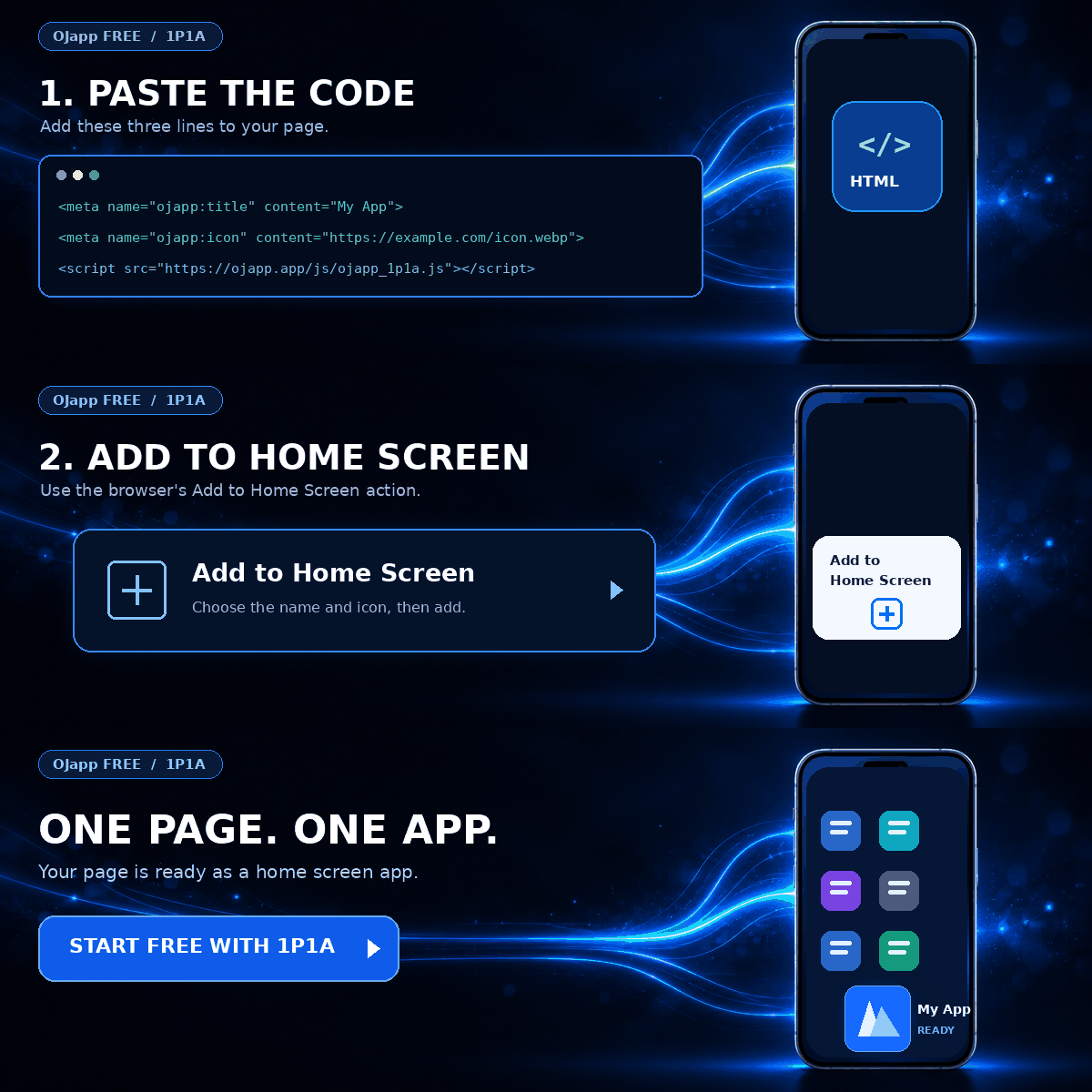
Turning a blog into a PWA does not replace the website
This distinction matters.
A blog does not stop being a normal website when it becomes a PWA.
The articles still have URLs.
They can still appear in search results.
Readers can still open them in a regular browser and share links normally.
The PWA layer adds another way to return:
Website
+
Home screen entry
If you want the broader technical picture first, What Is a PWA? 2026 Guide to How Websites Work on the Home Screen explains the basic model.
 iOS and Android Have Different Goals for PWAs: The Real Difference Beyond Support or No Support
You can put the entire blog on the home screen
The most obvious approach is to treat the entire blog as one PWA.
For example:
OJapp Tips
->
OJapp Tips icon on the home screen
->
Tap it to open the blog
This treats the whole site as one application.
I call this design 1S1A: One Site. One App.
For someone who regularly reads new posts from the same publication, the icon becomes a direct shortcut back to that publication.
There is no need to open a browser, search for the site name, or find a bookmark first.
But you can also keep one specific article
The second model is the one I find especially interesting for blogs.
Instead of turning only the whole site into one home screen app, an individual article can become its own entry.
Recipe blog
->
Keep one bread recipe on the home screen

Developer blog
->
Keep one Git reference on the home screen

Study blog
->
Keep one vocabulary guide on the home screen
A reader does not always want to save an entire publication.
Sometimes the real value is simply: “I want to use this page again.”
If that page has its own name, icon, and launch destination, it can behave like a small app-like entry on the home screen.
I call this architecture 1P1A: One Page. One App.
A page-level PWA is a different idea from a browser bookmark
Of course, browser bookmarks already let users save URLs.
The difference is where that saved entrance lives.
A bookmark normally lives inside the browser.
A PWA home screen entry can live next to the apps and tools a person already opens every day.
Bookmark
->
Open browser
->
Find bookmarks
->
Open article

Home screen
->
Tap icon
->
Open article
The important difference is not that the underlying content suddenly becomes native software.
It is that the URL has moved to a much more direct place.
This is why I increasingly think about PWA not only as “turning websites into apps,” but as a way to put useful URLs on the home screen.
PWA works best for blogs when there is a reason to return
Not every blog benefits equally from this model.
If every article is something people read once and never need again, there may be little reason to keep it on the home screen.
The idea becomes more useful when content has repeat value.
Examples include:
- step-by-step guides
- recipes
- checklists
- study material
- reference pages
- living articles that are updated regularly
- information readers check every day or week
In those cases, “keep this page where I can open it quickly” is a natural user benefit.
A frequently updated publication may work better as one site-wide app
There is another type of blog where the site itself is more important than one article.
News sites, specialist publications, and frequently updated blogs can use a site-wide home screen entry as a path to new content.
Home screen
->
Open publication
->
See the latest posts
In that case, the PWA is not a saved article. It is an entrance to an updating publication.
The right model depends on how readers use the content.
Being on the home screen does not guarantee more return visits
This needs to be stated clearly.
Turning a blog into a PWA does not automatically increase traffic or retention.
An icon that is never tapped creates no return visit.
And before someone adds a blog or article to the home screen, they need a reason to believe they will want it again.
So the PWA does not create loyalty by itself.
It creates a lower-friction path for a future return visit.
That is a much more realistic way to think about the benefit.
“Add this to your home screen” is not enough
Imagine showing a first-time visitor an Add to Home Screen message immediately after they arrive.
At that point, they do not even know whether the article is useful.
There is no strong reason to keep it yet.
A message after the reader has received value can make much more sense:
If you use this guide regularly,
keep it on your home screen for quick access.
The benefit is now clear.
I explore this in more detail in When Should You Ask Users to Add a PWA to Their Home Screen?.
Think about what happens after the blog is added
Installation should not be the end of the design.
For a blog, the experience after the user returns from the home screen may be more important.
You could, for example:
- make the latest posts easier to find
- surface frequently used reference pages
- show a small message specifically for home screen visitors
- take a saved article directly to its useful content
A visitor arriving from search and a visitor deliberately returning from a home screen icon may have different intentions.
The search visitor is probably looking for an answer.
The home screen visitor already knows the blog or page and has chosen to return.
A PWA gives you room to think about those journeys separately.
A blog can become part of home screen marketing
I use the term “home screen marketing” for the broader idea of letting useful web pages become persistent entrances on a user’s home screen.
It is different from repeatedly pushing messages at people.
For a blog, the journey can be:
Find a useful article
->
Choose to keep it on the home screen
->
Open it again when needed
That is very different from Push notifications.
The publisher is not necessarily calling the reader back.
The reader has kept an entrance and returns when they want it.
It is a quieter form of repeat access.
Before making a blog a PWA, decide what readers should keep
You do not need to begin with Service Workers, offline caching, or Push.
For a blog, I would start with a simpler product question:
What is worth keeping on the home screen?
Keep the whole publication
->
Site-wide PWA

Keep one useful article
->
Page-level PWA

Keep a frequently used reference
->
PWA that launches that URL directly
Once that purpose is clear, the Manifest architecture becomes easier to design.
Starting with a huge PWA feature checklist can make the actual reader benefit harder to see.
The biggest change may simply be where the entrance lives
A PWA does not change the fundamental job of a blog.
You still write useful content.
Search still matters.
Social media can still bring readers in.
Every article can still be shared as a normal URL.
The PWA layer adds one more possibility: the home screen.
Instead of requiring a reader to rediscover the same blog or article in search results every time, they can choose to keep that entrance somewhere they already look every day.
For blogs, the value of PWA may be less about turning the web into a native app and more about moving a useful web URL into a better place for returning.
That is the way I currently find most useful to think about blogs and PWAs.

Add OJapp Tips as a preferred source on Google
Make it easier to find OJapp Tips articles in Google Search.